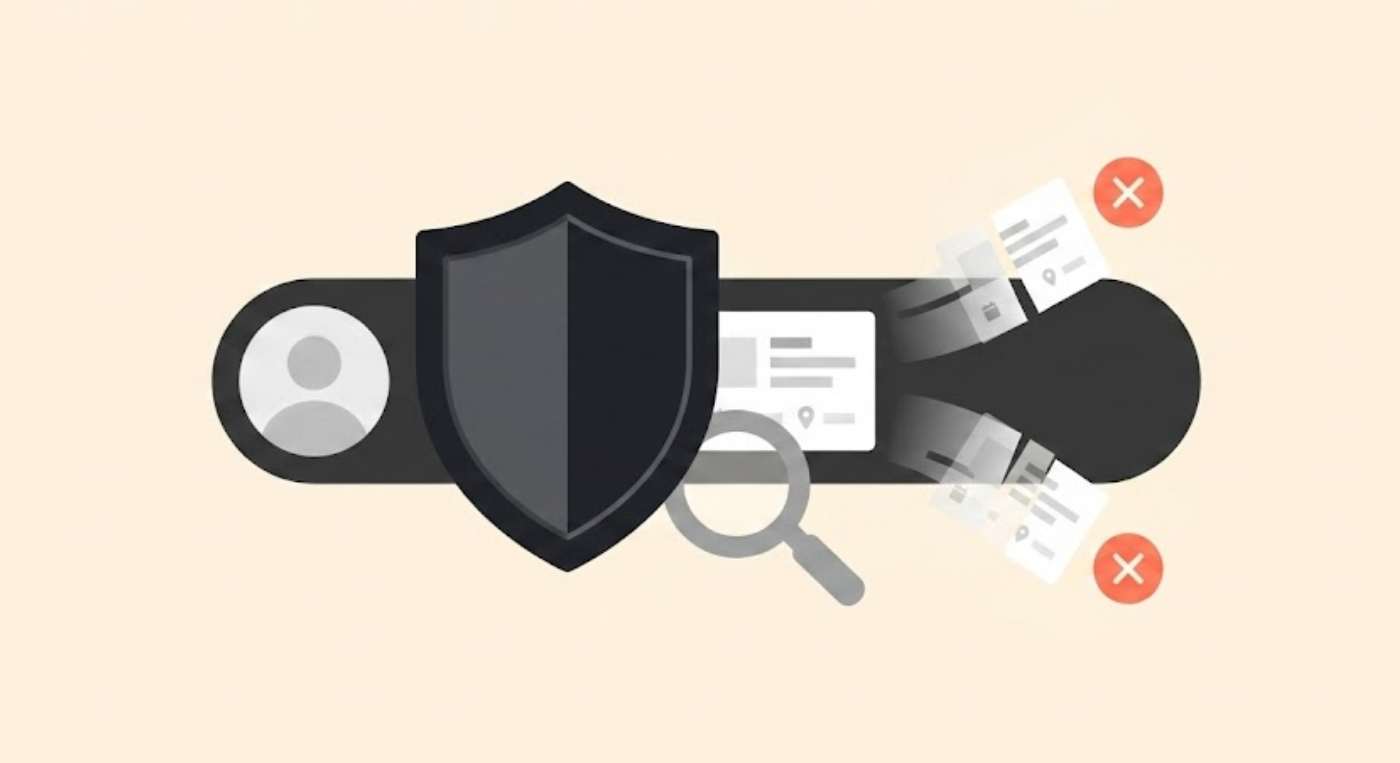
Whitelisting, a cybersecurity approach, is based on one basic idea. Why try to keep up with every emerging threat when you can simply allow access only for those that you need and block everything else? This strategy is similar to a VIP guest list; if you’re not on the list, you’re not getting in.
But whitelisting doesn’t end only in the corridors of cybersecurity. It applies to social media too, but with a different meaning altogether. For brands or influencers, Whitelisting is a special marketing approach where creators allow only select brands to run ads through their social media handles.
So whether you are a cybersecurity specialist or a marketing expert, there’s something in this guide for you. We’ll cover what is whitelisting, how it works, and exactly where it fits in a broader security program or marketing campaign.
What is whitelisting in cyber security?
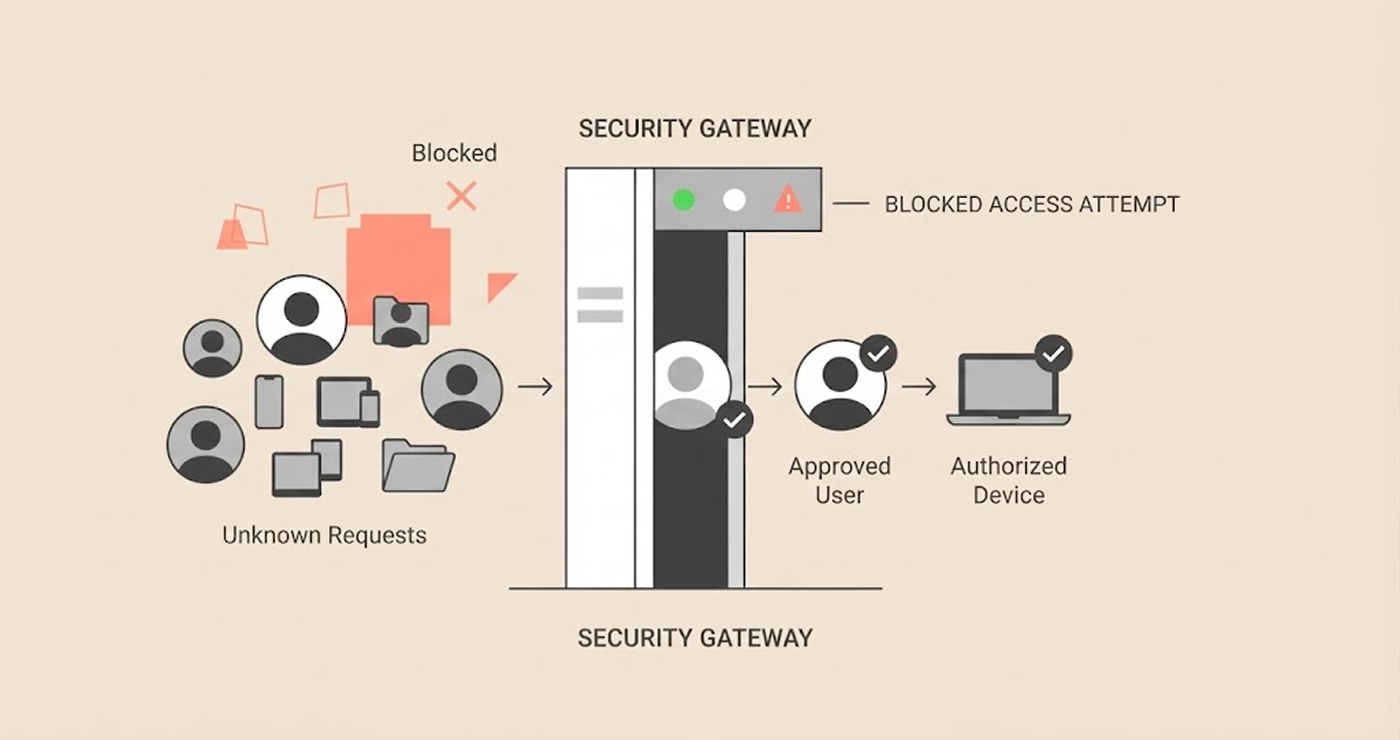
Whitelisting in cybersecurity is a deny-by-default system where any application, IP address, email or device not preapproved is blocked and cannot operate or connect. It is this simple idea that stops new threats that traditional antivirus systems can’t recognize.
Traditional antivirus systems work by detecting malicious files among those identified in the blacklist; all other entities pass without check. The issue with this approach is that you can only block what you know.
However, new malware, unknown and unclassified to antivirus systems, will be left untouched since it is not known yet to be harmful. Whitelisting does not consider whether an entity is known to be malicious. If it is not on the whitelist, the system blocks it from executing.
It would be akin to a list of guests at an exclusive gathering. In the case of a blacklist approach, it is like having a bouncer with photographs of all the known miscreants, who will deny access to anyone who resembles them. A whitelist contains a list of approved names. Anyone whose name does not appear on the list cannot enter the place, even if there is no previous record of misbehavior.
Whitelisting is mostly used in conjunction with the newer term “allowlisting.” It should be noted here that the UK’s National Cyber Security Centre shifted to the use of the term “allowlisting” back in 2020. NIST prefers “allowlist” for describing what is essentially the function of the process. However, in common search terms and product names, “whitelist” still prevails as of this writing.
Where you’ll run into whitelisting
Whitelisting is not a single tool. Instead, people use the concept across several different areas:
| Type | What it controls | Common use case |
|---|---|---|
| Application whitelisting | Which software can install or run | Endpoint protection, malware prevention |
| Email whitelisting | Which senders/domains reach the inbox | Phishing reduction |
| IP whitelisting | Which IP addresses can connect | Remote access, server/database protection |
| Device whitelisting | Which devices can join the network | BYOD and contractor access control |
Takeaway point: Each implementation follows the same principle, allow access only to explicitly approved users and deny everyone else by default.
How does application whitelisting work?
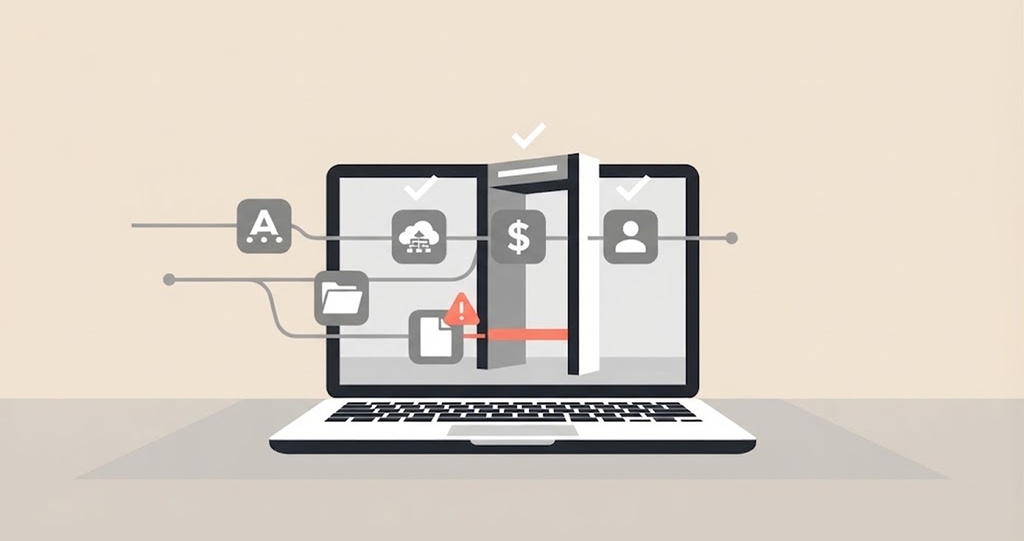
This is the kind of whitelisting that people think about when they hear about ‘cyber security whitelists.’ So, it will be better to slow down.
First, an administrator needs to get a baseline. He scans a trusted computer and learns what types of applications, scripts, libraries, and executable files are essential for work. These are going to be the first elements of the whitelist.
Now, all authorized programs go through several verifications by the following criteria:
- File path: The system verifies the location from which the program should launch.
- Filename: This method does not provide strong verification because attackers can easily change file names.
- Digital signature: The application carries a verified publisher signature, showing that no one has tampered with or modified the file.
- Cryptographic hash: It is the unique file identifier; changing it will completely alter the code.
During the program’s execution attempt, the whitelisting software will check whether it matches the above criteria. The system runs the program normally if it matches the list.
But if there’s no match, the program is not allowed to execute at all, malicious or not. This brings us to an important question: Doesn’t this mean that every legitimate update fails? Yes, it does, and this is precisely where the practical challenge comes from.
Software providers release numerous updates to fix vulnerabilities in their products all the time. If you fail to keep the whitelist updated with the latest legitimate versions, the software will block those updates as well.
Organizations normally rely on either of these two methods in implementing this:
- Built-in functions in the OS, such as Microsoft AppLocker, a tool built into all enterprise versions of Windows, which allows rule definitions to be carried out within the OS.
- Dedicated third-party platforms, which are normally associated with a more granular level of control, management of thousands of endpoints from a single location, and dashboard reports. Some third-party platforms that feature in this niche include BeyondTrust, PolicyPak and Centrify, most of which adopt a zero-trust approach by default.
Large organizations that have thousands of computing endpoints usually prefer the latter, considering the difficulty of having to manage the whitelists in the former manually. The guide to application Whitelisting (SP 800-167) by NIST remains the most comprehensive guideline document to date for the design of such policies, despite being somewhat outdated.
The bottom line? Application whitelisting involves verifying all the programs by checking them against file path, name, signature, and hash before allowing them to run. To keep application whitelisting effective, administrators must update the whitelist regularly.
Benefits of whitelisting
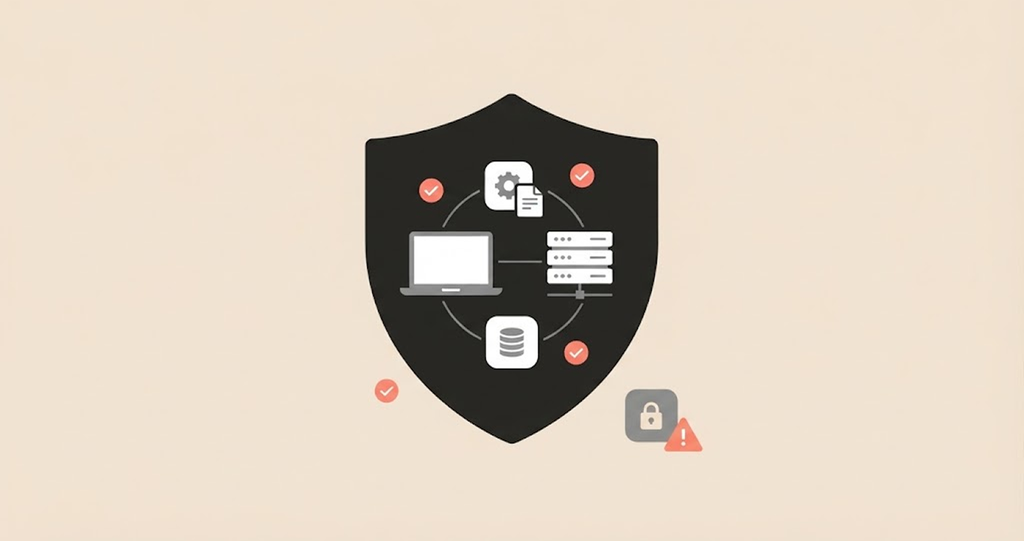
Whitelisting isn’t just about preventing malware and other security threats. It can also increase productivity in everyday operations if implemented appropriately. The following are the specific advantages of using the whitelisting method:
- Preventing malware infections. Since nothing unapproved can run, anything malicious, such as ransomware, keyloggers, and other types of malware, is stopped before they can get in and cause damage.
- Blocks phishing attempts. Whitelisting email addresses makes sure that messages from unknown or suspicious senders never make it into your inbox. This is especially valuable given the rise of PayPal scams, which frequently use convincing fake emails and messages designed to look like official communications from the payment platform. A well-maintained email whitelist acts as a critical first line of defense against these types of fraud.
- Increasing productivity. Limitation of the number of websites and emails allows increasing the level of productivity because it excludes distracting employees while they work.
- Preventing shadow IT. It prevents employees from launching applications they are not authorized to use.
The other end of the spectrum also rings true. Whitelisting needs manual configuration. However, it is the very manual nature of this process that allows whitelisting to be highly flexible since you get to choose exactly what comes in and, therefore, adjust the configuration based on your specific situation.
Blacklisting vs Whitelisting: What’s the difference?
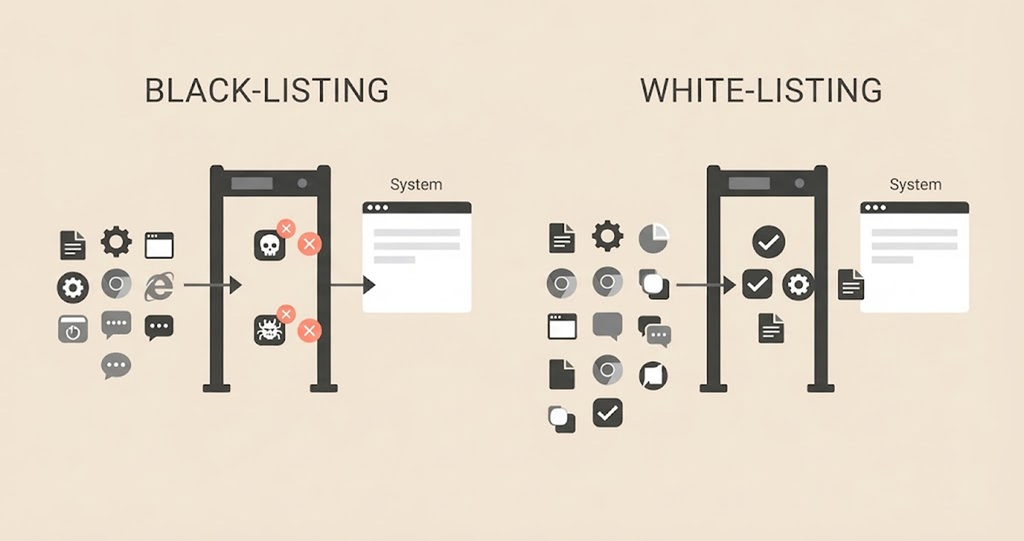
Putting these two concepts side by side is the fastest way to understand the reason why many view whitelisting as a better and more locked-down approach.
Blacklisting, often referred to as blocklisting, follows an “allow by default, deny by exception” principle. Everything will work unless there is some reason to think it’s dangerous. That’s how the majority of consumer antivirus programs usually work, and also how most spam filters and firewall setups have worked for years.
However, whitelisting uses a reverse of this process: “deny by default, allow by exception”. The system only allows applications that administrators have specifically approved to run. Take a look at the practical trade-offs:
| Blacklisting | Whitelisting, or allowlisting | |
|---|---|---|
| Default state | Allow everything | Block everything |
| Exceptions | Block known-bad entries | Allow known-good entries |
| Catches unknown/zero-day threats | No | Yes |
| Day-to-day friction | Low | Higher |
| Maintenance burden | Lower (update threat signatures) | Higher (update approved list constantly) |
| Best fit | General-purpose, lower-risk systems | High-value, high-risk systems |
Most well-developed security solutions do not favor one over the other. Rather, they stack them together, where blacklisting protects all traffic that comes with low security overhead and whitelisting takes care of those cases when any system breach is not an option, payments, medical data, manufacturing processes, etc.
So in summary, blacklisting trades off security for convenience, whereas whitelisting sacrifices convenience for security.
IP whitelisting: Meaning and other technical applications
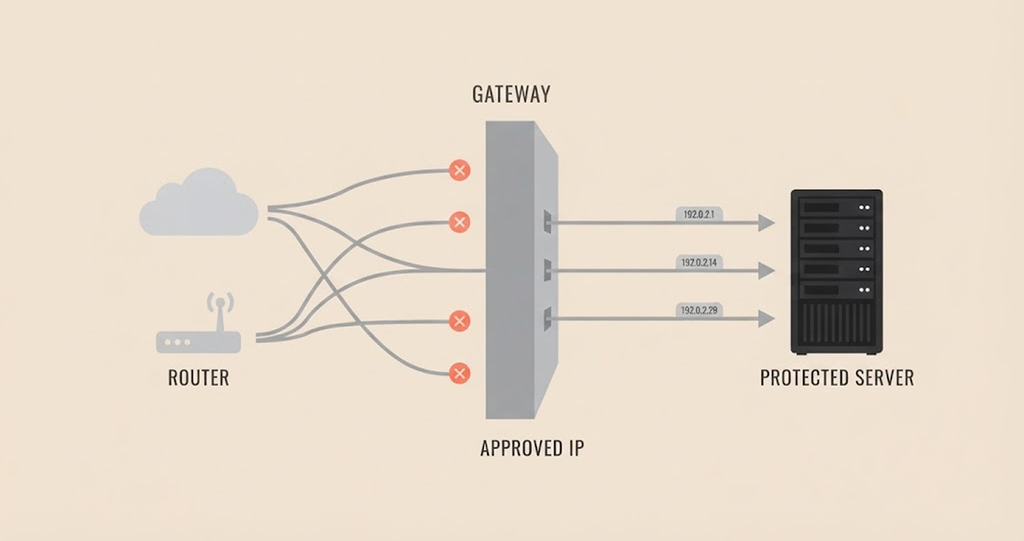
As the name implies, IP whitelisting is when the network or server lets in only those IP addresses that you’ve approved. The system blocks everything else, no matter how legitimate it looks.
It’s often common in the corporate world. A company can whitelist the IPs of remote employees so only those employees can access internal systems from home. If you try to log in from anywhere else, the system locks you out. Database admins use the same playbook; they whitelist their app servers’ IPs, so the database stays in touch only with systems it trusts.
Cloud providers use this concept but implement it in their own ways. AWS uses security groups to whitelist IP addresses down to the resource level. Google Cloud has a feature called Cloud Armor which requires users to set up an allowlist for IP addresses that filters out malicious traffic.
This is a good way to mitigate the risks involved with DDoS. Azure uses service endpoints, as well as private links, to ensure that only pre-approved sources can access their respective cloud solutions.
Nonetheless, IP whitelisting can be really difficult to implement because of the constant variations involved in the situation. For instance, someone working remotely from home may encounter problems because IP addresses tend to change each time they reboot the server, and whitelisting will lock them out once it flags the change. So, some companies often pair it with a VPN that’ll supply a dedicated or static IP address every time.
Bottom line? IP whitelisting is rock-solid for fixed setups servers, corporate offices, data centers, you know. But for home networks where things shift all the time, it’s kind of fragile. Pairing it with a VPN just makes everything run smoother.
Email whitelisting: Inbox security and workflow
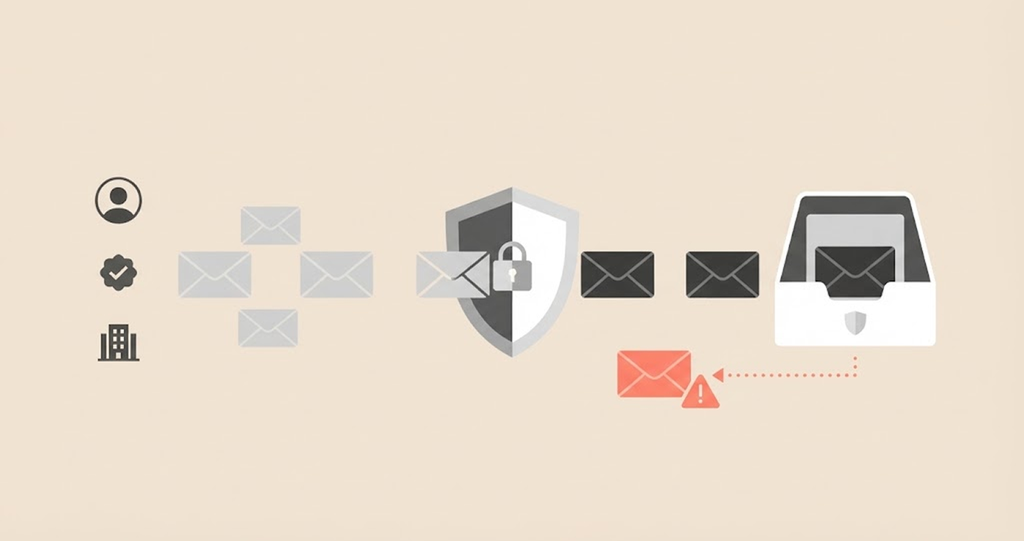
Email whitelisting runs on a set of rules a little different compared to other types of whitelisting. It’s not about securing a system, but about organizing a messy inbox such that critical emails will never go missing in spam.
Whitelisting is basically telling your email client, “I trust this sender and make sure messages from them always get delivered.” Every email from that particular sender shows up at the top of your inbox and skips the spam folder completely. That’s a big deal when you’re swamped with messages every day, especially if you’re a project lead, work in sales, or handle finance.
Of course, there’s a security side to it too, but with a catch. Creating a list of trusted senders cuts down on the chance of getting tricked by phishing emails, since anything from a sender you don’t know drops to the bottom of the pile. But it doesn’t block unknown senders. Their emails are still in the inbox; they are just out of sight, not out of reach. If a malicious email gets through, it’s still there lurking.
Whitelisting became a lot more important when COVID-19 forced everyone to work from home. Suddenly, teams became decentralized, IT support struggled to keep up, and email traffic exploded creating exactly the kind of conditions that phishing campaigns thrive on. Tightening up the sender whitelist turned out to be one of the easiest ways to stay on top of inbox security without installing a bunch of new tools.
And the good news? Setting up email whitelisting is pretty easy. Most business platforms and regular email apps let you do it in a couple of clicks; no extra software, no complicated setup procedure.
Advertising whitelisting: Letting the right ads through
This one lies at the crossroads between browsing behavior and site economics. Many people have such tools installed nowadays, so you may face situations when websites ask you to either turn it off or include them in the “whitelist.” This is what advertising whitelisting means.
An ad blocker functions almost in the same way as any blocklist does. It stops almost all advertising-related content from loading. But some sites rely on ad revenue, and a blocklist locks them out entirely. Advertising whitelisting provides an opportunity to make exceptions; in other words, to tell your ad blocker: “this website is fine; let its ads load,” but block everything else.
From a security standpoint, this concept becomes quite important because of malvertising attacks, which is a rather serious problem nowadays. Having an ad blocker with a properly made whitelist would provide you with necessary security without affecting all the sites you actually use.
You set this up right inside your ad blocker, not somewhere higher up like your operating system or your network settings. Most ad blockers out there, such as uBlock Origin being the most popular currently make it super easy.
Just a couple of clicks, and you’ve got a site on your whitelist. If you’re looking to strengthen your overall browser privacy beyond just ad blocking, it’s worth exploring the best browser extensions for online privacy to build a more comprehensive defense.
VPN whitelisting: Choosing what bypasses the tunnel
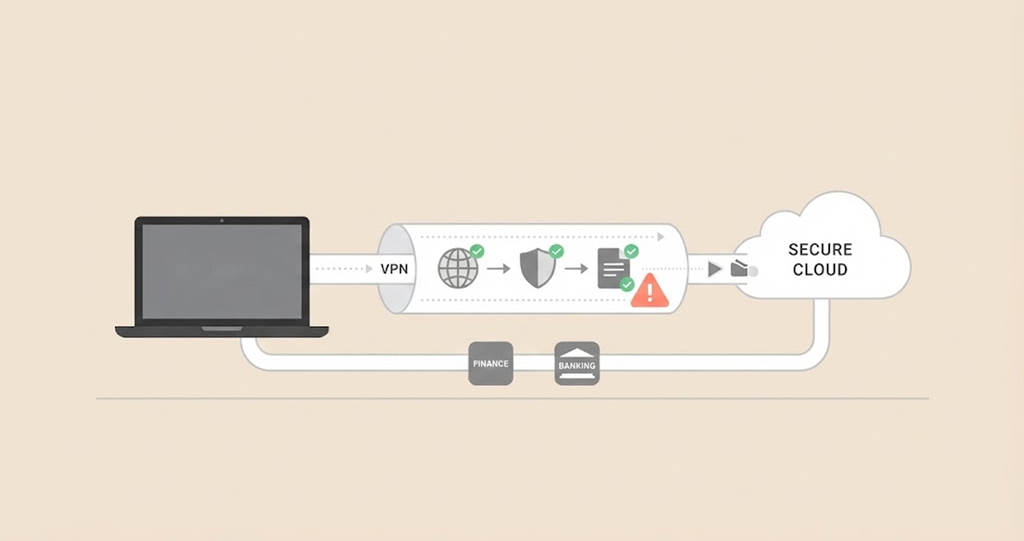
VPN whitelisting, otherwise known as split tunneling, is available as a feature in many VPN applications like NordVPN. This approach lets users choose which sites or apps to route through the VPN while allowing everything else to connect directly to the internet.
So, why do you need to enable split tunneling? The reason for routing all your Internet traffic via a virtual private network is security. But it is not always an easy process. Banks and financial services, for example, tend to block access when they detect VPN connection or spot you logging in from an unfamiliar location.
A VPN masks your real IP address, which can trigger fraud detection systems and lock you out. Some games and local streaming services don’t play nice with VPNs either. They block access for similar reasons.
Split tunneling gets around that issue by letting you create a custom bypass list. That way, your banking app, maybe Netflix, any site that doesn’t need a VPN connects directly while sensitive browsing and every other traffic passes through the VPN’s encrypted tunnel.
In a way, VPN whitelisting is the inverse of traditional whitelisting. Instead of giving certain apps special approval to enter the security gate, you’re granting them permission to skip the line. The allow list still controls which app or site gets special treatment, same logic, but runs in the opposite direction.
However, it’s worth noting that not every VPN offers split tunneling, and each provider does it a little differently. If you need this feature, check if the VPN service offers it before you subscribe. You don’t want surprises after you’ve already signed up.
Where whitelisting fits into a security program
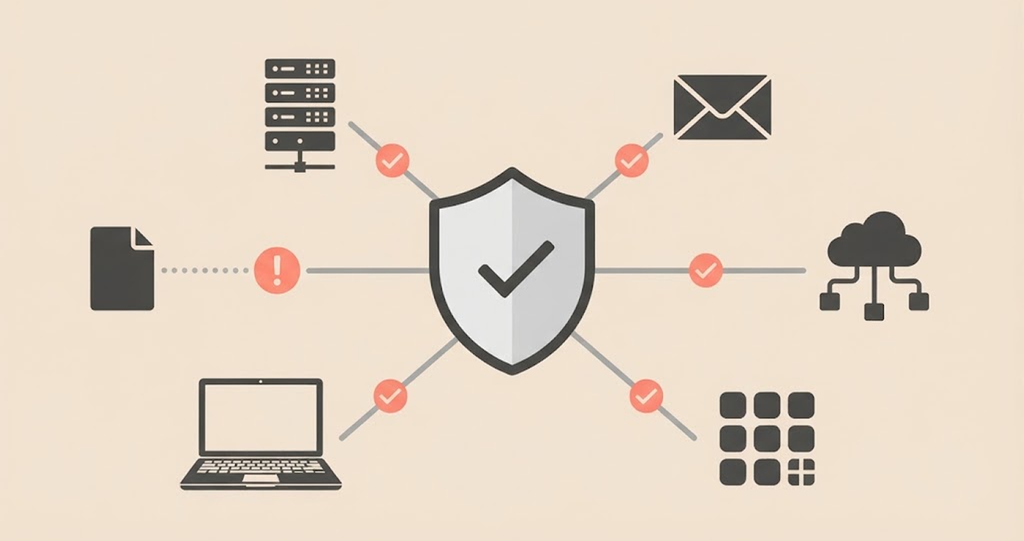
Whitelisting can be very effective, but it should not form the sole line of defense. The approach of applying multiple protection layers in a stack is called ‘defense in depth.’ In this approach, if attackers compromise one layer, the others prevent them from accessing the data.
Firewalls serve as a foundational layer in this stack, and for organizations or individuals seeking cost-effective options, the best free firewall software can provide robust network-level protection that complements application and IP whitelisting strategies. Application whitelisting is among the many options for protecting a computer network.
1. In defending against malware, it is one of the most effective solutions to have.
Ransomware, keyloggers, or any other malware payload can’t run unless they’re on the allowlist, no matter how stealth or new they are. Whitelisting can be more useful than traditional signature-based anti-malware systems as they need time to identify the malicious program and then react to it.
2. Against shadow IT, application whitelisting works as some kind of policy enforcement.
Shadow IT refers to those software solutions that employees install on their computers themselves without proper vetting. Sometimes this decision is in the interest of the company, simply for file-sharing or a chat app. However, application whitelisting makes it impossible to use any programs not approved by the company, effectively blocking some common attack entry points.
3. In regulated industries, it is a necessary condition in the compliance bar, not just a nice-to-have.
Industries such as healthcare, financial services, and governmental agencies operate under strict data security requirements. Controlling which pre-approved programs and network connections are allowed is one of the means to ensure compliance with these regulations. PCI DSS is one such framework where it becomes necessary to apply.
4. Whitelisting seems to align with the logic of the zero-trust architecture.
Zero trust works on the principle that anything that is within a network or outside of the network should not be trusted. Everything needs to pass through verification first. The policy of whitelisting is that “If something isn’t on the approved list, it doesn’t get in.” It is pretty much similar to the concept of zero-trust. This is the reason why many whitelisting solutions have been promoting themselves as zero trust solutions.
Nonetheless, whitelisting still has its limitations.
Limitations
Let’s look at the limitations below:
- Whitelisting introduces hassle: Employees cannot just download any tool that can help them perform their tasks. As any utility tool must pass through the whitelist first.
- Requires maintenance: Whenever the team adds new software to the network or a vendor makes changes or hires new contractors, administrators must update the whitelist to prevent outages.
- It does not stop every threat: Attackers can also compromise applications that you have already whitelisted. Even worse, attackers can misuse trusted programs through a technique called ‘living off the land,’ allowing them to bypass the whitelist without triggering alerts. Similarly, social engineering schemes like NFT scams exploit user trust rather than technical vulnerabilities, meaning no amount of whitelisting can protect users who are tricked into approving malicious transactions.
That’s why whitelisting belongs to a bigger toolkit. It’s most effective when you pair it with other security layers, endpoint detection & response, email security, patch management, and regular audits. Even with these protections in place, attackers can still expose sensitive data. If your personal or company information ends up on the dark web, you’ll need to act quickly to limit the damage.
Don’t rely on just one control, even the strongest one, to handle your whole security program.
Whitelisting in social media and marketing
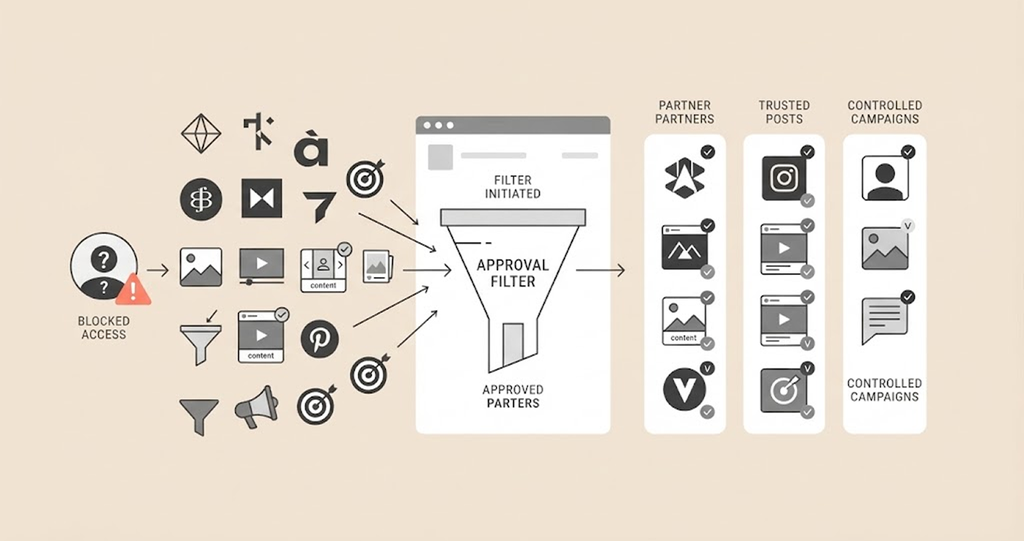
Outside of the IT world, “whitelisting” means something almost unrelated. Sure, it’s still about granting special access or approval, but the context differs.
On social media platforms, whitelisting is all about brands working with influencers. The brand gets permission to access the influencer’s ad account, so they can run paid ads through the influencer’s handle. Instead of the brand blasting ads from its own page, the ad pops up as if it’s coming straight from the influencer, with the influencer’s follower trust and engagement history.
That’s important because people interact way better with content if it feels like it’s coming from someone they already know, instead of just another faceless brand. When an influencer says yes to whitelisting, they lend their account’s reputation and audience to the brand’s campaign, while the brand takes care of the targeting, spending, and placement in the background.
So, when you hear someone talking about whitelisting influencer arrangements, this is usually what they mean: a formal setup, often via the ad platform itself. Meta’s Partnership Ads is the current go-to example, where the influencer grants the brand limited access to run ads through their account without handing over their login details.
This also directly connects to a broader whitelisting strategy for marketing.
Brands use whitelisting in marketing to:
- Test a bunch of ad variants using a creator’s account. It’s a great way to figure out which ad actually resonates with the audience.
- Expand the reach and lifespan of sponsored content beyond its organic post window.
- Launch highly targeted paid campaigns that feel almost completely organic, since they’re still coming from the creator’s voice. The audience barely knows the difference, except you’re reaching exactly who you want.
When people talk about whitelisting content meaning more generally, they’re often referring to approving specific posts, accounts, or pieces of content so they can be promoted or shared wider. It goes beyond the influencer ad accounts scenario. For example, a publisher might whitelist a few pieces of content for boosted distribution while leaving other articles in the catalog untouched.
And let’s be real, this is nothing like what “whitelisting” means in cybersecurity. There, it’s all about locking things down and blocking access by default unless specifically allowed. In marketing, you’re opening up content for special promotion. Same word, totally different meaning.
Whitelisting products: Where the tools actually live
When shopping for allowlisting technology, you will find yourself in one of three groups, depending on your objectives:
| Need | Where to look | Example |
|---|---|---|
| Application control | Built-in OS tools or dedicated endpoint platforms | Microsoft AppLocker, BeyondTrust, PolicyPak, Centrify |
| Network/IP control | Firewalls and cloud security groups | AWS Security Groups, Azure service endpoints, Google Cloud Armor |
| Email control | Business email platforms or security gateways | Native sender-allowlisting in most enterprise email suites |
Whichever group you fall in, the same purchasing principles hold true: you should focus on solutions that allow for easy maintenance. As of now, the market is moving towards allowing allowlisting functionality to become part of larger zero trust and endpoint detection solutions. So check if you really require a separate solution or if your current endpoint management software already provides this capability.
Whitelisting best practices
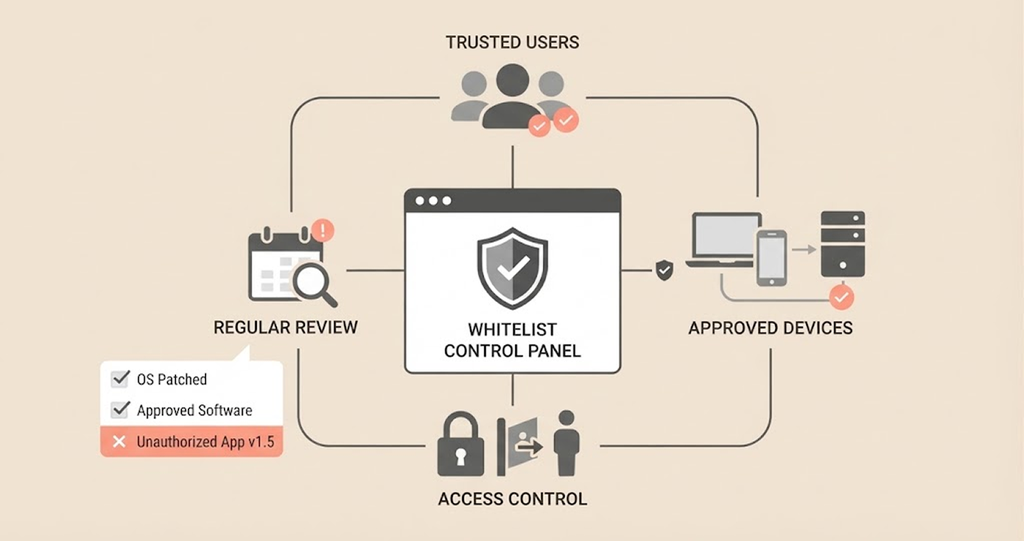
Deciding to implement whitelisting is a good start. But actually keeping it working, without it turning into a headache, takes some real discipline. Here’s what separates a smart whitelist from one that just makes everything harder:
- Keep documentation: Maintain records of what you added to the list, by whom, and when. It doesn’t have to be in a separate management system, a shared spreadsheet will do just fine here. Otherwise, it’s going to be a mystery list for a long time.
- Be precise: It’s tempting to just approve whole domains or entire families of apps, mostly to keep things smooth for users. But don’t yield to that temptation. Otherwise, you would defeat the whole purpose of having a whitelist. Only allow exactly what you need the exact IP, the right software version, or the specific email sender. Anything broader just opens the door to trouble.
- Schedule regular reviews: Whitelists don’t manage themselves. Contractors move to other companies, software changes, and sometimes the same IP address ends up belonging to someone else. Quarterly checkups are a must-have. This stops outdated entries from quietly becoming security gaps.
- Match the type of whitelisting to the goal: E-mail and VPN whitelisting are pretty simple to set up and maintain. The more complicated IP and application whitelists are appropriate for companies with their own IT department. Choose the wrong type at the outset, and you’ll be over-restricting or under-maintaining.
- Treat whitelisting as one layer, not the whole security stack: Don’t try to solve the problem by whitelisting everything. Perfectly effective whitelisting won’t block a malicious but whitelisted application or an intruder using legit tools from the whitelist. So, back it up with endpoint monitoring and regular audits. Whitelisting works best when it’s not your only defense.
Conclusion
Whitelist is a fairly basic concept that takes many different roles depending on the context. When used in the meaning of cybersecurity, it works as a deny-by-default policy. For instance, it blocks any unapproved items such as applications, email senders, or IP addresses. It particularly works great against new threats that most people have never faced before. From a marketing and social media perspective, it is a permission system that allows companies to post advertisements using the account of a reliable content creator.
When designing a new cybersecurity system, you need to remember that whitelisting is definitely worth considering as an integral and high-priority component for any sensitive environment, but it’s never a sole solution. Always use it with other tools, such as patch management, endpoint protection, and audits. Also, make sure to regularly update it. Otherwise, it’ll cause more problems than solutions.
FAQs
Yes, allowlisting is just another term for the very same concept of security. The NIST and National Cyber Security Centre of the UK chose this newer nomenclature, whitelisting, to become the official term.
Maintenance. Each time you install any software, make updates, or change vendors, you’ll need to add that item to your whitelist. Otherwise, it will be blocked along with all potential dangers. If it isn’t properly maintained, whitelisting may cause disruptions to your everyday work just like any malicious program.
It is perfectly possible even in small companies and in a personal capacity. In recent years, some operating systems started implementing the feature of whitelisting, and many consumer-oriented anti-virus programs provide this tool in their arsenal.
No. Whitelisting is great in preventing unknown or unapproved programs from starting on your computer. But a full protection suite will be more efficient if it includes whitelisting together with other components.
Unlike IP whitelisting, which is limited to accessing a set of predetermined IP addresses, a virtual private network (VPN) assigns an IP address for use in connecting. The two techniques are often used simultaneously, where the former will grant access to a stable IP address assigned by the latter.
Whitelisting helps the brand access ad accounts owned by influencers and use the accounts to promote its ad campaign, as the ad seems to be originating from a trusted creator and is likely to receive better results.
The two processes are somehow related, as both involve ad-account access agreements between brands and creators. However, whitelisting content involves approval of any content for further paid promotions and wider distribution.
Advertising whitelisting refers to instructing your ad-blocker to whitelist web pages you trust while blocking all others. Websites that rely on ads to make money usually ask their users to add them to the ad-blocker’s whitelist as part of the conditions for accessing them.