Malware can come in various forms and have different uses. Some will attempt to steal your passwords, while others may lock your files and demand payment. Some can even turn your computer into a weapon that can attack other computers and systems.
To help you identify threats related to the most common types of malware available, this guide will review 15 different forms. We’ll describe what malware in computer systems is and outline several tips on how to prevent your computer from being infected.
Top malware types – Quick list
In a hurry? Here are the fifteen malicious software families you need to know about. Each entry gives you a fast summary of what the threat does.
- Virus: A self-generating malware that attaches itself to clean files and can spread throughout the system.
- Worm: This is a standalone form of malicious software that self-copies via computer networks with no human effort or file attachments.
- Adware: It is a pest that generates revenue as it floods your screen with unwanted advertisements and pop-ups.
- Trojan: A deceptive software that behaves like a ‘legitimate’ program or application.
- Ransomware: This is a piece of malicious code that encrypts your files; it demands payment from you in order to get your files back.
- Spyware: A very stealthy surveillance application that watches what you do online, and then takes your personal data without your permission.
- Bots and botnets: Groups of connected infected computers that attackers can access and use remotely to conduct large-scale attacks.
- Rootkit: A hidden, malicious program that installs itself on most operating systems and hides other malware from detection.
- Fileless malware: A memory-based threat that does not leave any physical evidence on your hard drive. Very difficult to detect.
- Keyloggers: These are recording devices that track every keystroke you make and send that information back to the attackers.
- Malvertising: Malicious advertisements that can infect your computer when you click on them. Sometimes, they simply load on your computer screen.
- Logic bomb: An inactive threat that does not become active until certain conditions or dates activate its payload.
- Wiper: A program designed to permanently destroy a file or a database of files, as opposed to holding them for ransom.
- Cryptojacking: A covert activity that uses your computer’s processing power without your permission to mine for cryptocurrency.
- Polymorphic Malware: A threat with the ability to modify its code, structure, and appearance every time it is executed in order to evade detection by means of signature analysis.
What is the most dangerous type of malware?
According to experts in security, ransomware is the highest level of threat that comes among the different types of malware. This is because it creates financial loss directly and can impact essential services necessary for people’s daily lives. As a result of an attack by this type of malware, hospitals are unable to treat patients; schools cannot hold classes; and businesses can’t operate.
Ransomware has also resulted in the complete shutdown of a number of city governments and healthcare networks. For example, the Colonial Pipeline paid about $5 million to regain access to its systems after a ransomware attack, which created a fuel shortage throughout the eastern United States.
Some may argue that wiper malware has caused more overall damage than ransomware. With ransomware, if the victim pays the hacker, there is a possibility of recovering data that might otherwise be lost. But wipers permanently destroy with no recovery option.
Rootkits present a different kind of danger. They hide so effectively that victims may not know they are compromised. Attackers can steal data for years without detection. Some rootkits survive operating system reinstalls.
Polymorphic malware terrifies security professionals because it evolves constantly; this is because traditional antivirus software cannot keep up with its shape-shifting code. Each new infection looks completely different from the last.
So, we can say that what constitutes the most serious type of malware can be highly situation-dependent. For example, a home user might view ransomware as the most severe and fear its locking of family photos; a corporation could dread a data breach from spyware and a government agency might worry about wipers destroying national security data.
Cybersecurity experts believe that fileless malware represents the future of threats in cyberspace. This is because the malware doesn’t leave residual files on hard drives and takes advantage of pre-existing and favorable application tools on trusted systems. So, detection without advanced monitoring becomes exceptionally difficult.
Types of malware today – Detailed list
1. Virus
A computer virus works in a manner very similar to a biological virus; it attaches to clean files and makes copies of itself whenever someone opens an infected document or program. Once the virus infects a system, it will replicate itself and also corrupt or delete data.
A virus needs human interaction to allow it to travel from one machine to another. It can move as someone sends an infected file via e-mail, USB stick, or network share; once the recipient opens the infected file, the virus activates.
For instance, Melissa is a typical example of how a virus can act. It was a macro virus that infected Microsoft Word documents and used Microsoft Outlook to propagate itself. When an infected document was opened, the virus automatically emailed itself to the first 50 contacts in the victim’s Outlook address book. This step allowed it to spread rapidly across all networks. This outbreak caused an estimated damage of $80 million.
Melissa remains one of the most infamous viruses in history, earning its place among the worst computer viruses ever recorded.
2. Worm
Worms are self-replicating programs that exploit security weaknesses in operating systems or applications to propagate throughout the network. They do not need any human help to spread. Within a few hours after a worm is released onto the internet, it can spread across thousands of machines.
When a worm finds a weak system, it will copy itself to that computer and continue to propagate. One of the first and most famous examples of a worm is the Morris worm from 1988. It infected approximately 10% of all computers on the Internet at that time. The attack led to the creation of the first computer emergency response team.
3. Adware
Adware keeps flooding users with unwanted advertisements and pop-up windows as they engage online. It often comes bundled with free software that people download from questionable sources, and the developers make money by forcing ads onto your screen.
Some adware goes beyond simple annoyance. It can be the ways through which you browse the internet, collect such information, and sell to marketing companies. This data collection occurs without your knowledge or permission.
Fireball, a notorious adware strain, infected over 250 million computers worldwide. It hijacked browsers and also changed search engine settings without user consent. The malware also had the capability to download and execute other malicious code.
4. Trojan
A Trojan is a type of malware that masquerades as a valid piece of software in order to induce an individual to install it. Unlike viruses and worms, a Trojan does not replicate itself on its own. Instead, it relies on deception as its main method of attack on users.
Users commonly encounter these Trojans through email attachments, application cracks, or fake update notifications. Once it is installed, it can either steal the user’s passwords and log keystrokes, or it can allow other malware access to the user’s computer. The name comes from the ancient Greek story of soldiers hiding inside a wooden horse to later invade a city.
The Zeus Trojan remains one of the most infamous examples. It targeted banking information and stole millions of dollars from accounts worldwide. Authorities have spent many years trying to dismantle the organized crime networks behind this Trojan.
5. Ransomware
Hackers use ransomware software to encrypt files and demand payment for their release. When attacked, victims will receive a message describing how to pay the ransom, most often using cryptocurrency, with the attackers stating that they will provide a decryption key after receiving payment.
This type of malware spreads through several channels, such as phishing emails, malicious downloads, or exploiting unpatched software vulnerabilities. If victims refuse to pay, some variants threaten to publish their stolen data online. Many organizations, including hospitals, schools, and government agencies, have all fallen victim to these attacks.
The 2017 WannaCry outbreak infected 200,000+ computers across 150+ countries. It locked users out of files demanding Bitcoin payment. Overall, this caused billions of dollars in damage to businesses and organizations worldwide.
6. Spyware
Spyware generally works without your knowledge by collecting and monitoring certain aspects of your online activity. This means that spyware can track the websites you have visited, the usernames and passwords you enter, and all your sent and received messages. Then, it distributes this information to perpetrators of crime and fraud, as well as identity thieves who can use your personal information. Given the stealthy nature of spyware, having reliable removal tools is essential for anyone who suspects their system has been compromised.
Spyware hides within the free software that you download from the Internet, or via vulnerabilities in your browser’s security. Unlike adware, the intent of spyware is to remain hidden from you; as a result, you will never know that it is running on your machine.
On mobile devices, spyware can be even more invasive, tracking your location, reading your messages, and accessing your contacts, which is why knowing how to remove such threats from your iPhone or Android phone is so important.
FinSpy (also known as FinFisher) is a commercially available spyware marketed to governments. Some of them include monitoring and recording phone calls, reading text messages, and activating the microphone of compromised devices. Human rights organizations have documented instances of FinSpy used against journalists and political activists.
7. Bots and Botnets
A bot is a single compromised machine that an attacker remotely controls. When terrorists collect hundreds or thousands of these machines, they create a botnet. Cybercriminals use these networks to execute large-scale assaults without utilizing their resources.
Botnet operators frequently sell access to their networks on the dark web. Individuals can buy into these networks to distribute spam, acquire sensitive information, or disrupt the operation of a target’s website, but device owners rarely realize their computers have become part of a criminal operation.
An example of this concept was played out in 2016 via the Mirai botnet, which affected many insecure web cameras and router devices. It launched large attacks against major sites such as Twitter, Netflix, and PayPal, which caused them to remain disconnected for a number of hours.
8. Rootkit
A rootkit is another form of malware that installs itself on your operating system in a hidden manner. It prevents file, process, and network connection visibility in order to hide itself from security software, making it extremely hard to detect and remove.
Attackers use rootkits to maintain a long-term access point in an already compromised system. The rootkit can either steal personal or business data or launch attacks against other assets. In many instances, if you want to completely remove toolkits, you need to do a complete reinstallation of the operating system.
The Sony BMG rootkit scandal demonstrates just how far-reaching this technology is. The record company placed a rootkit on approximately 15 million CDs as an anti-piracy measure, which subsequently created exposures that other malware used to get onto computers.
9. Fileless Malware
Fileless malware runs only within a computer’s memory, in contrast to regular malicious software, which installs files on the file system before executing them (i.e., file-based). Therefore, this malware variant is highly undetectable when using typical antivirus software that scans for malicious files.
Fileless malware often uses legitimate tools, such as PowerShell or Windows Management Instrumentation, as part of the attack process. Antivirus software trusts the operating system’s legitimate tools and allows them to run without needing the user’s approval, so an attacker can easily manipulate the tools without creating alarms.
For example, the Poweliks fileless malware used this method of persistence by hiding in the Windows registry and executing commands via PowerShell. Most traditional antivirus programs available at the time of the attacks were unable to detect it. This is why it did not create a suspicious file on the computer’s hard drive.
10. Keyloggers
Keyloggers are tools that help thieves record all the keys you press on your computer. This includes your user name/password, credit card, etc. The hackers will then use this information for financial fraud, identity theft, or other illegal activities after they receive the logged information from your keystrokes.
Keyloggers can either be physical devices that an attacker places between your keyboard and your computer, or software programs that download onto your computer via infected emails or file downloads. The malware runs in the background, and you often won’t notice anything out of the ordinary while it is running.
The Olympic Vision keylogger infected thousands of computers around the world and recorded user credentials for banking and email accounts. The credentials were eventually made available to other criminals via dark web markets for further illegal use.
11. Malvertising
Malvertising is a method of packaging malicious code within what visually appears to be a normal advertisement placed on legitimate websites via third-party advertising networks. The website owners typically have no idea that their site is displaying advertised software that may contain a threat to users.
Simply visiting a page with such ads can infect your computer; some attacks do not even require you to click the advertisement. The code executes automatically when the ad loads in your browser.
The 2016 ScamClub campaign injected malicious ads into major news sites, including ESPN and others. Visitors saw fake browser update messages that installed malware. This process infected millions of computers before security researchers shut it down.
12. Logic Bomb
A logic bomb is a type of malware threat that will not activate until certain triggers occur. Possible triggers include a specific date, an action a user takes, or the absence of something such as a particular file, among other possibilities. Once the logic bomb has activated, the results could include the deletion of files, the corruption of data, or the disabling of systems.
One common method of installing a logic bomb is through disgruntled employees as they are leaving the company. Many times, the malware will execute automatically after it has left the company and create a huge amount of work for the employer. In most instances, it can be difficult to identify who installed the logic bomb because the individual is usually long gone; however, with investigative skills, the perpetrator can still come to light.
In one incident, a former network administrator with a gas organization planted a logic bomb that deleted critical servers from the network. The logic bomb was activated following the administrator’s departure and caused severe disruptions to the entire gas company’s operations. The administrator received a prison sentence for his act of computer sabotage.
13. Wiper
A wiper does not hold your data for ransom; it simply destroys everything. Once a wiper executes, recovery becomes nearly impossible. Attackers use wipers to cover their tracks after other malicious activities. The malware can also serve as a weapon in cyber warfare. The goal is not profit but pure destruction.
The 2017 NotPetya attack looked like ransomware but acted like a wiper. Victims could not recover their files even after paying the ransom. The malware caused over ten billion dollars in damages worldwide.
14. Cryptojacking
Cryptojacking uses your computer’s resources for mining cryptocurrency without your knowledge. The attacker installs the malware on your computer, and it runs behind the scenes while you are working. You will notice that your electricity bill has increased, but the performance of your computer has decreased.
Hackers can install and hide cryptojacking scripts on sites or through pirated software. Also, they issue the cryptojacking scripts to keep on running, as long as that tab is still open or that program is still on. Additionally, some types of cryptojacking may be persistent on your system and will reinstall after each boot.
The Coinhive service operated this technique before its closure. It allowed website owners to use a cryptojacking script on their web pages without informing their visitors. Users experienced slower computers while hackers collected the digital coins.
15. Polymorphic Malware
Polymorphic malware does not retain the same code; it alters its code every time it runs. Antivirus software looks for known patterns, but this malware never looks the same twice. Though the core function remains identical, the signature changes constantly.
Attackers achieve this by using encryption and mutation engines. Each new copy of the malware gets scrambled differently. Security tools struggle to detect something that keeps rewriting itself.
The Storm Worm used the polymorphic malware to infect millions of computers in 2007. It changed its appearance thousands of times per day. Traditional antivirus products could not keep up with their rapid mutations.
What is Hybrid Malware
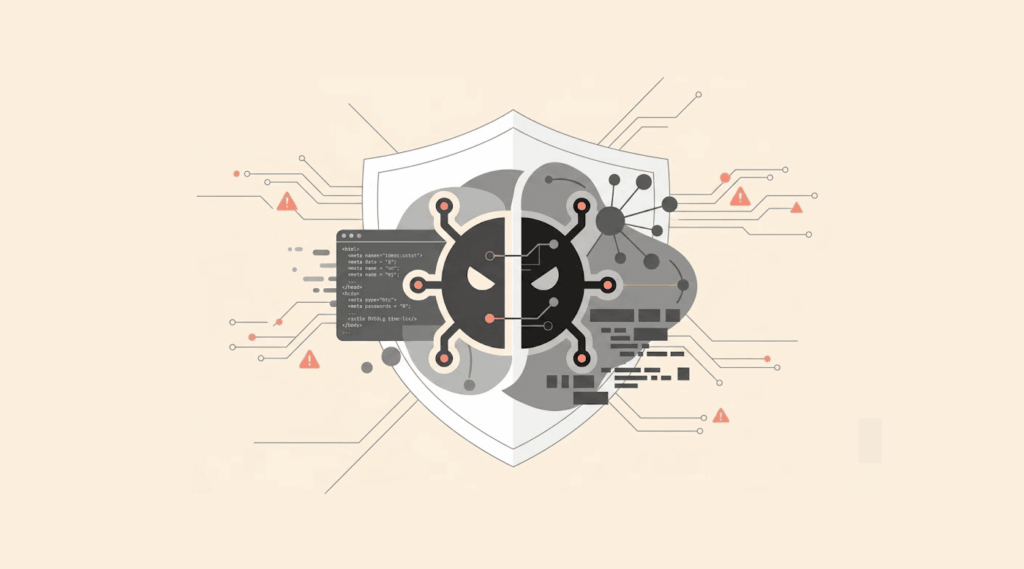
Hybrid malware is a combination of two or more malicious methods in one package. It can comprise multiple types of malware into one program, such as a Trojan, worm, and rootkit.
Because of this combination, they are harder to categorize and can cause more harm than if they were only one type. Attackers design hybrid malware to create huge amounts of damage while making it difficult to detect. The worm aspect will allow it to easily spread throughout a network. The Trojan component tricks users into installing it. The rootkit component hides everything from security software.
Modern malware rarely falls into a single category anymore, and most sophisticated attacks use hybrid approaches. For this reason, security analysts must understand multiple techniques to defend against these blended threats.
A well-known illustration of hybridized malware, the Stuxnet worm, exhibited worm-like transmission with rootkit undetectability and employed a targeted payload. Additionally, the Stuxnet worm caused physical damage to Iranian nuclear centrifuges, while going undetected by existing security systems.
Cybersecurity professionals typically evaluate all malware infections as potentially hybrid in nature, because to assume that a threat belongs to a single category will create dangerous gaps in protection. Ultimately, adhering to the theory of the worst-case scenario reinforces the strong notion of an ‘all-inclusive’ approach toward preventive measures.
How do common types of malware spread?
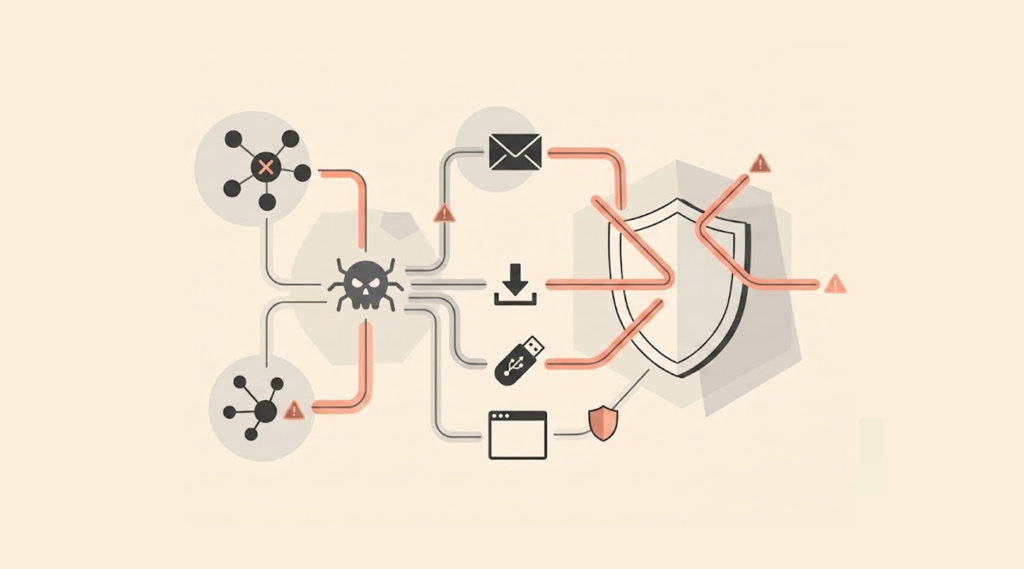
There are multiple routes that malware takes in order to infect a device. Therefore, knowing how each malware infection type reaches your device is vital in preventing becoming the next malware victim.
Virus
Viruses travel through shared files that are infected. For example, if a person sends you an infected document as an email attachment, the virus will execute itself once you open the attachment.
Worm
Worms do not rely on a human to assist them in their spreading. Instead, they will automatically copy themselves to any computer that they find to have a vulnerability. This means a single worm can replicate to thousands of computers in a very short period of time.
Adware
Adware typically rides on the back of free software applications and downloads. When a user installs an application that they want, they are usually not aware that the application has bundled adware prior to installation. Once installed, the adware will display unwanted advertisements to the user.
Trojans
Trojans create the illusion of being a legitimate type of software application. Users may download what appears to be a game, utility or update, and once the user has installed the application, the Trojan can deliver its payload on the system.
Ransomware
Ransomware is malware that arrives primarily through phishing emails that may contain a malicious download or URL. When the user selects or clicks a link or file, the ransomware encryption process begins. This makes any stored files on their computer inaccessible.
Spyware
Spyware can embed itself in free software you download or install through the use of an exploited browser vulnerability. Most of the time, it will install without your knowledge or with no clear signs, so you will not know someone is monitoring your online activities via the spyware.
Bots and Botnets
Bots are installed through emails with infected attachments, infected software, or by exploiting vulnerabilities in programs.
Once a computer is infected with a bot, it is typically added to a botnet, which allows the criminal to control all of the computers in that botnet. Users typically will not know they are participating in a criminal network.
Rootkit
Rootkits are generally dependent upon other malware for their installation. Typically, trojans or worms can introduce rootkits at the same time they hit an application. The rootkit then hides the presence of every other malicious program.
Fileless malware
Fileless malware exploits legitimate system tools like PowerShell. It arrives through malicious documents or compromised websites. No files get written to disk, making the attack hard to detect.
Keyloggers
Keyloggers typically install through Trojan programs or malicious email attachments. Some physical keyloggers get plugged directly into computer cables. These hardware versions require physical access to the target machine.
Malvertising
Malvertising spreads via legitimate ad networks. Users visit trusted websites that unknowingly host malicious advertisements. The infection occurs when the ad loads, often without any click required.
Logic bomb
Logic bombs are usually planted by insiders with system access. The attacker hides the code within existing programs or scripts. The bomb stays dormant until its trigger conditions are met.
Wiper
A wiper is a type of malware that can spread via multiple different channels, just like many other forms of malware. For example, the malware exists in phishing emails and software vulnerabilities. Also, some variants of malware, such as Trojans and worms, can drop wipers as secondary payloads.
Cryptojacking
Cryptojacking operates by embedding a script onto a website or within pirated software so that it will start running when you visit an infected website or open an infected piece of software. Some cryptojacking variants can also persist between users via browser extensions.
Polymorphic Malware
Polymorphic malware travels on networks in the same way as any other type of malware, such as via email attachments or downloaded software. The primary distinction between polymorphic malware and other types is that after infecting your system, the code used will continually change so that it avoids detection.
Is ransomware a form of malware?
Ransomware is malware. Broadly speaking, malware is defined as software created to harm or exploit your computer system. Ransomware is a form of malicious software because the only reason for its existence is to create a harmful impact.
So, it operates as one of many subsets of malware. Other forms of malware, such as viruses, worms, and Trojans, are also categorized as distinct threats. In terms of how the criminals use this malware, ransomware operates as a specific business model. In contrast to criminals selling stolen data, ransomware criminals seek payment from the victims directly.
The malware usually encrypts victims’ files or systems until they pay a ransom to the criminals. The method of extorting money from victims via ransom has proven extremely lucrative for criminals. Moreover, in some cases, the ransomware will first steal the data, then encrypt it and threaten to release it publicly.
Although all malware types exhibit similar features, they generate varying consequences. Viruses corrupt files, spyware extracts information from computers, and ransomware holds system data hostage for ransom. Knowing this allows security teams to implement the appropriate type of defensive measure.
How to guard against the most common types of malware
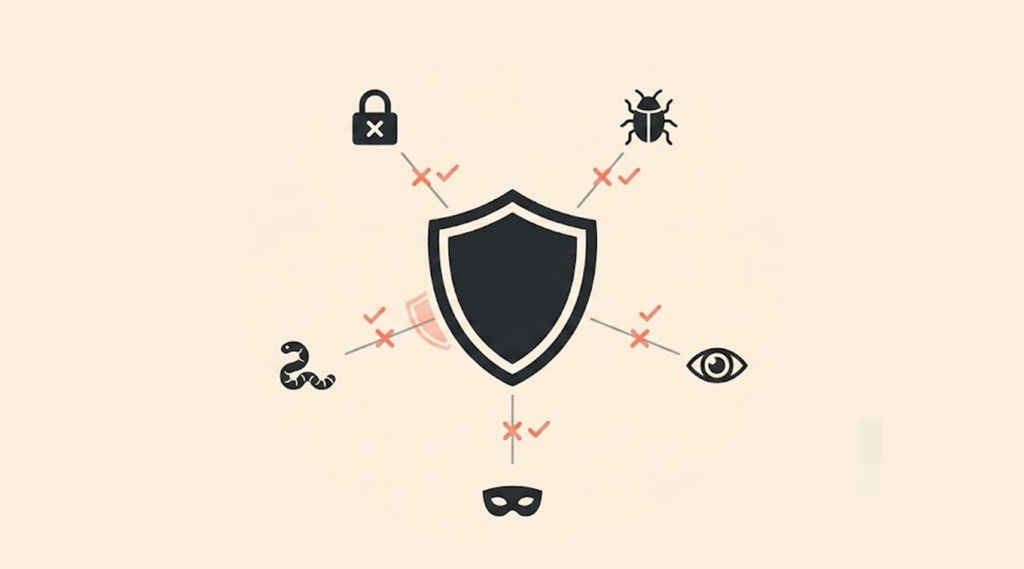
Being familiar with how to prevent malware attacks will assist in maintaining the security of your devices. The actions listed here reduce the likelihood of malware infections. They provide an additional level of security that makes a significant impact on reducing your risk of a malware infection.
Implement multi-factor authentication
Multi-factor Authentication requires a second-step verification in addition to your password. This can be a texted code, an app for authentication, or a physical key. This ensures that, even if an attacker steals your login information, he will be unable to access any of your accounts.
For this reason, users should enable multi-factor authentication on their devices. Several apps and sites, such as email accounts, many social media sites, and banking apps, support multi-factor authentication.
Use antivirus software
Antivirus software can detect and stop known forms of malware before they execute on your computer. Newer versions of antivirus programs can also detect suspicious behavior and other activities related to the performance of your computer. The best practice is to keep this software updated to take care of any new malware that may have visited, it is continuously changing.
For Mac users, the decision to install antivirus software has long been debated, but with macOS threats on the rise, it’s a question worth revisiting. You should conduct a full system scan regularly, even when things appear to be fine. This is because many malware types will generate silent infections and not show any clear signs of their existence on your system.
Beware of social engineering schemes
Attackers manipulate people, not computers. They create fake emails, phone calls, or text messages that look legitimate. The goal is to trick you into installing malware or revealing passwords.
If you receive an unsolicited email asking for information, confirm the request by contacting the sender via a different means other than replying to their message. You can call the supposed sender using their known phone number. Do not use the contact information that comes through the suspicious message.
Avoid suspicious links and attachments
Hover your mouse over links before clicking to see the real destination. Be extremely careful with email attachments, even from known senders. Know that a friend’s compromised account can send you malware without their knowledge.
When in doubt, do not click. Delete the message and contact the sender through another method. A legitimate email will survive that verification step.
Limit the number of administrative privileges on your computer
Most users do not require full administrative access for their daily work routines. Therefore, any type of malware or malicious code running on your system with administrative privileges could cause disastrous results to the entire system. It is best to create a standard user account for the day-to-day use of your computer.
Only use the administrator account when you install trustworthy software or when you are changing settings to your computer. By making this one habit, you are restricting the amount of damage that malware could cause.
Avoid using any third-party app stores for downloading applications
Use only the official app stores that the manufacturers provided for your operating system, such as the Apple App Store and the Google Play Store. Third-Party App Stores often host malware that appears as popular applications. The verification process on official stores exposes threats before they get to users.
Also, read app reviews and check developer information before any download. In most cases, when you see suspicious apps, a few downloads, and poor ratings, trust your instincts and leave right away.
Enable a firewall
Use a firewall to block any unauthorized access to your computer via your Internet connection. Firewalls are built into both Windows and Mac computers; be sure that it is on.
A properly configured firewall will block any malware from communicating with those commands and making them function properly. If your firewall prevents your computer from communicating with the command server of malware once, most malware programs will not work, so the attacker cannot steal data or send further instructions.
Conclusion
Malware has several forms, and with knowledge of the different types, you can identify threats before they cause unintentional damage. Understanding what malware in computer systems means, knowing how it will act, and its purpose. Malware hides, multiplies, and steals data or information to cause harm; it exploits human mistakes and software vulnerabilities. So, you can keep it off via vigilance and reliable tools.
The most common types of malware have the same focus; they all need an entry point into your computer system. Thus, you need to secure your system against unwanted entry points through the use of safe computing practices.
But learning how to prevent malware requires consistent effort. There is not just one tool that will catch every bit of malware, but utilizing multiple layers of defense (anti-virus, firewalls, multi-factor authentication (MFA), and common sense) provides many barriers against penetration. Attackers prey upon the easiest targets rather than well-defended ones. The best protection combines technology with awareness.
FAQs
Security experts identify over fifteen major malware categories, each comprising thousands of variants. The most common types of malware include viruses, worms, Trojans, ransomware, spyware, and other forms that are mentioned in this guide.
There are various ways you can know that your device has been infected with malware. They include a significant decrease in performance, excessive pop-ups, website re-direction, an increased number of crashes, or unusual behavior on your network or internet.
Make sure you have installed antivirus software and always update the software. Besides this, you should have a firewall on every device. Use two-factor authentication where possible. Avoid clicking on strange links or downloading strange attachments, as well as using third-party app stores. Limit the amount of admin rights you give others, and be cautious about falling for a social engineering scheme.
Yes, there is a specific category of malware that targets mobile devices, specifically smartphones and tablets. There are infected apps, phishing text messages, and compromised websites that deliver malware. Malware on mobile devices can compromise the user’s contacts, track the user’s location, send premium text messages, and access users’ banking apps.