British TV offers some of the best entertainment in the world, from BBC dramas and ITV reality shows to live sports and documentaries on Channel 4 and Sky. The problem? Most UK streaming platforms block access outside Britain due to licensing restrictions.
If you’re traveling, living abroad, or simply want access to British TV from another country, those geo-blocks can be frustrating. The good news is that watching British TV online from anywhere is completely possible with the right tools (like a VPN, ideally) and setup. A virtual private network (VPN) helps you to bypass the geo-restrictions and watch British content from anywhere worldwide.
This guide explains why UK content is restricted, how people bypass these limitations safely, and the most reliable ways to stream British TV abroad in 2026 with a VPN without compromising speed or privacy.
Quick guide to accessing British TV from anywhere
- Choose a reliable VPN. We recommend NordVPN because of its high-speed servers and extensive compatibility.
- Download and install. Visit the VPN’s official website and download the appropriate software for your device.
- Connect to a server. You need to connect to UK servers to access British TV online.
- Start streaming. Visit your preferred UK streaming service, like BBC iPlayer or ITV.
- Enjoy streaming your favorite content without buffering.
Top VPNs to watch British TV online – Quick list
- NordVPN: Our #1 recommended VPN for British TV with advanced features and more than 440 servers in the UK.
- Surfshark: Most affordable VPN on this list, with advanced features and impressive unblocking capability.
- ExpressVPN: One of the fastest VPNs in the industry, making it ideal for getting a UK-specific IP address.
Why is British TV blocked abroad?

British TV is blocked abroad mainly because of licensing, copyright, and broadcasting agreements. UK broadcasters don’t actually own global rights to most of the shows they air, so they’re legally required to restrict access to viewers inside the UK. Here’s a clear breakdown:
1. Content licensing agreements
British networks like BBC, ITV, Channel 4, and Sky purchase distribution rights on a country-by-country basis. These contracts allow them to stream content only within the UK. If they let overseas viewers watch, they would violate those agreements.
2. Copyright and regional rights
Many British TV shows are co-produced or sold internationally. The same show might air on a completely different platform in another country. Geo-blocking ensures broadcasters don’t compete with rights holders elsewhere.
3. Advertising and funding models
Some UK channels rely on region-specific advertising or public funding:
- BBC iPlayer is funded by the UK TV licence fee, which only UK residents pay.
- Advertisers on ITV or Channel 4 target UK audiences specifically. (Read our dedicated guide on how to stream Channel 4 outside the UK if you need.)
Restricting access protects these revenue models.
4. Sports broadcasting restrictions
Live sports come with especially strict contracts. Events like the Premier League, Wimbledon, or Formula 1 have different broadcasters in each region, making geo-blocking mandatory.
5. IP-based location detection
To enforce these rules, streaming platforms check your IP address. If it shows you’re outside the UK, access is automatically blocked (even if you’re a British citizen traveling abroad).
In short, British TV isn’t blocked because broadcasters don’t want international viewers—it’s blocked because they’re legally required to do so.
Best VPNs to watch British TV abroad – Detailed list
After thorough research in collaboration with our cybersecurity experts around the world, here are our top VPN services for streaming British TV:
1. NordVPN
A top-of-the-line VPN service that offers smooth and uninterrupted access to geo-blocked content from anywhere.
 More than 8,000 VPN servers available in 120+ countries
 Has P2P optimized servers
 Offers double encryption mode
 Allows connections to 10 devices simultaneously
 30 days of pay-back guarantee
 Super-strong protection for web leaks
 Has double VPN feature
 Comes with customizable kill switch
 SmartPlay feature
 Has Tor compatibility
Pros
- Has a large number of server list
- Very catchy design and user-friendly interface
- You can use with a large number of devices
Cons
- Some locations lack dedicated server
NordVPN is perhaps the most accurate VPN for watching British TV online. It is a state-of-the-art service with advanced features and affordable subscription plans.
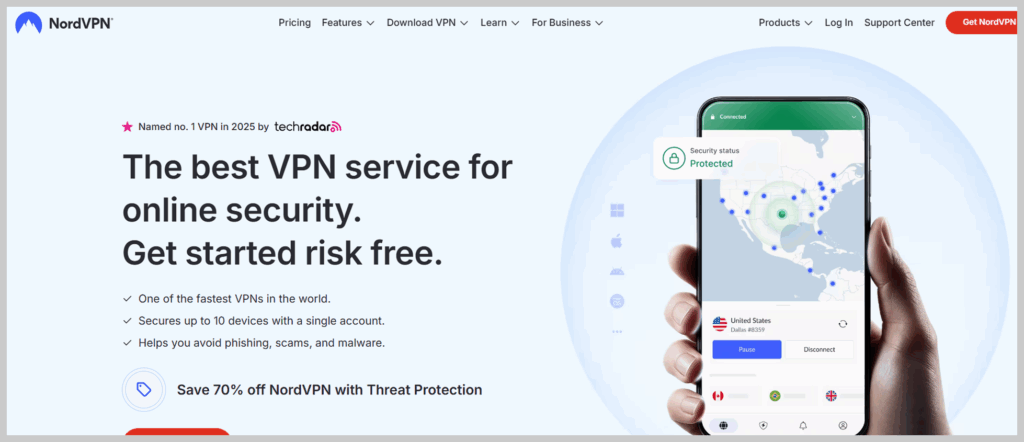
The VPN has over 400 servers in the UK that produce ultra-fast speeds. We could stream Peaky Blinders, a popular British TV show, in high-definition during our test. Plus, NordVPN has more than 8,000 servers worldwide. So, if you’re in the UK, you can bypass geo-restrictions and access your favorite content in other regions as well.
Besides the remarkable streaming capability, NordVPN employs military-grade AES 256-bit encryption to protect your connections. It also has split tunneling, a kill switch, and a strict no-logs policy.
NordVPN is one of the most affordable services in the industry. Also, its 30-day money-back guarantee allows you to test it risk-free.
2. Surfshark

A cost-effective VPN service that provides a large number of premium security and privacy features, and can help you unblock geo-blocked content.
More than 3,200 servers scattered in 100 countries
Robust AES 256-bit encryption
MultiHop mode
No limit for simultaneous connections
Refund your money within 30 days
 Boasts CleanWeb feature
 Has effective Camouflage mode
Pros
- No data retention or limitations
- A responsive customer support via live chat
- Offers a 7-day free trial
Cons
- Setting up some features requires a technical job
Shufshark is a reputable budget-effective VPN service that allows you to access British TV online from anywhere. It offers amazing playback quality and unblocking capability.
The VPN operates various fast-speed servers in London and Manchester, enabling you to unblock your favorite content in the UK.
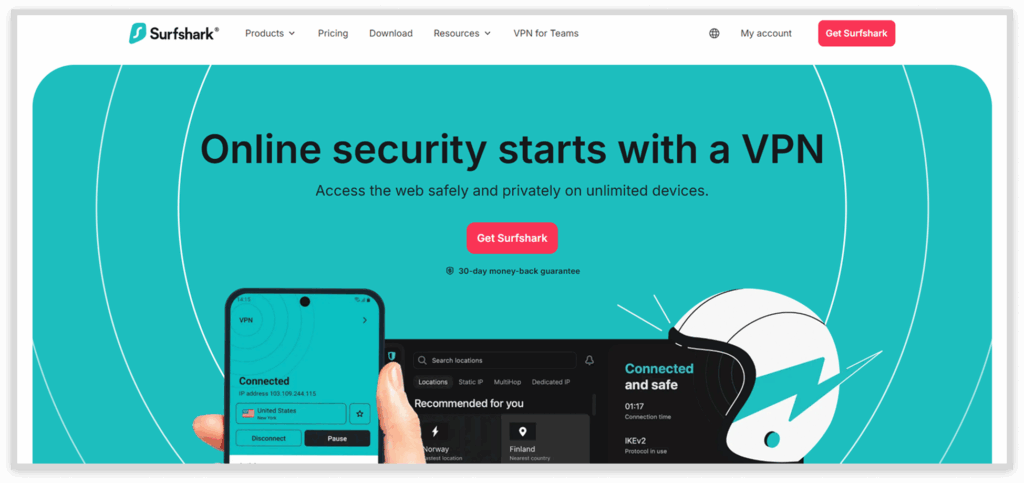
During our tests, Syrfshark unblocked BritBox, where we watched popular shows like Luther, Doctor Who, and Downton Abbey. We also successfully unblocked streaming platforms like Netflix and NOW TV, known to have notorious geo-restrictions.
It supports various convenient payment methods, including PayPal and credit cards. Thankfully, all the plans come with a 30-day money-back guarantee.
3. ExpressVPN

A techies’ favourite service that has everything you need to access and stream geo-restricted content in high quality.
More than 3,000 speedy-VPN servers in 100+ countries
Supports P2P connections
 Has effective split tunneling
AES 256-bit solid encryption
Allows up to eight connections at once
Has effective split tunneling
AES 256-bit solid encryption
Allows up to eight connections at once
 TrustedServer technology
No leaks
30 days refund policy
TrustedServer technology
No leaks
30 days refund policy
Pros
- Super-fast speed
- Doesn’t monitor users’ activities
- Stealth protection against IP and DNS leaks
Cons
- Mobile app lacks some advanced features
ExpressVPN is another reliable British TV VPN online with a reputation for super-fast servers and consistent connections.
It runs multiple servers in various UK locations like London, Docklands, Wembley, East London, and the Midlands. Connecting to these servers will give you a UK-specific IP address to unblock British TV online from anywhere.
During our tests, the VPN reliably unblocked various British streaming platforms such as BBC iPlayer, BritBox, and Sky Go. We could watch popular shows, like Bodies, Black Mirror, and The Devil’s Hour, in high-definition.
Choosing the best VPNs for watching British TV online
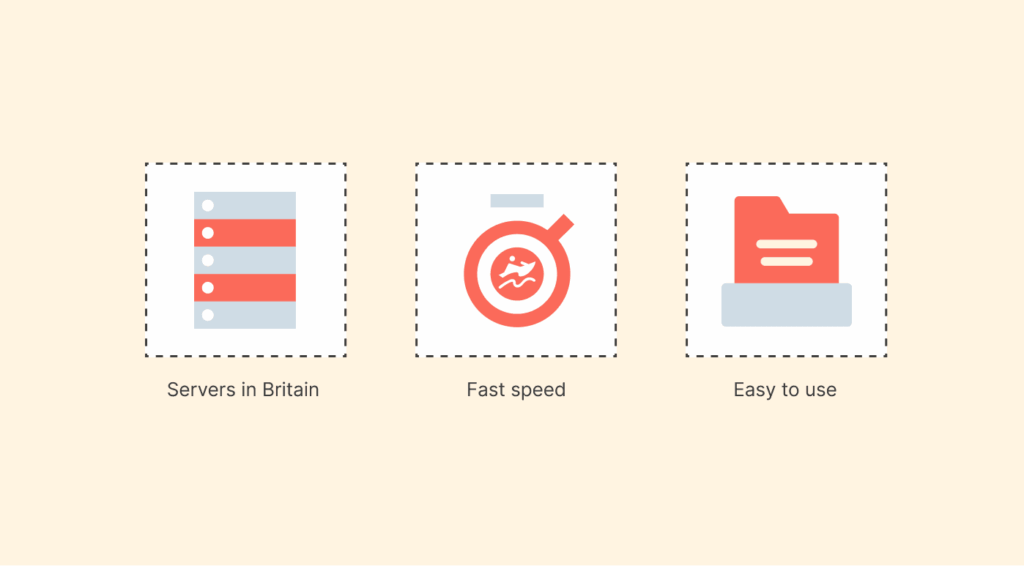
Here are some factors we considered when selecting the VPNs on this list:
- Servers in Britain: A VPN must have UK servers to enable you to watch British TV from abroad. Thankfully, most VPNs on this list have multiple UK servers, which helps minimize server congestion.
- Fast speed: We rigorously tested VPNs to choose those with blazing fast speeds. This is crucial, as poor connection speed can impede your streaming experience.
- Impressive unblocking capability: Some VPNs perform dismally, especially on distant servers. So, we chose VPNs with robust unblocking capabilities to enable you to bypass all geo-blocks.
- Easy to use: We chose VPNs with straightforward and easy-to-use applications to enable you to connect to a nearby server and stream your favorite content.
- Unlimited bandwidth: Some VPNs impose data limits, which can reduce the streaming quality. Thankfully, all the VPNs on this list have unlimited data.
- Reliable customer support: Even the best VPN service can malfunction or develop technical hitches. The VPNs we shortlisted have knowledgeable customer support and multiple contact channels like live chat and email.
Is it legal to watch British TV with a VPN while abroad?
So, the question is whether it is legal to use a VPN for streaming geo-blocked content. Yes, using a VPN to watch British content in most countries is legal. Actually, a VPN is the safest and easiest way to access British content when traveling abroad.
A VPN allows you to connect to a private network in a different location. This tricks the sites you try to access into thinking you’re based in a specific country, enabling you to access your favorite content regardless of where you are.
Can I use a free VPN to watch British TV abroad?
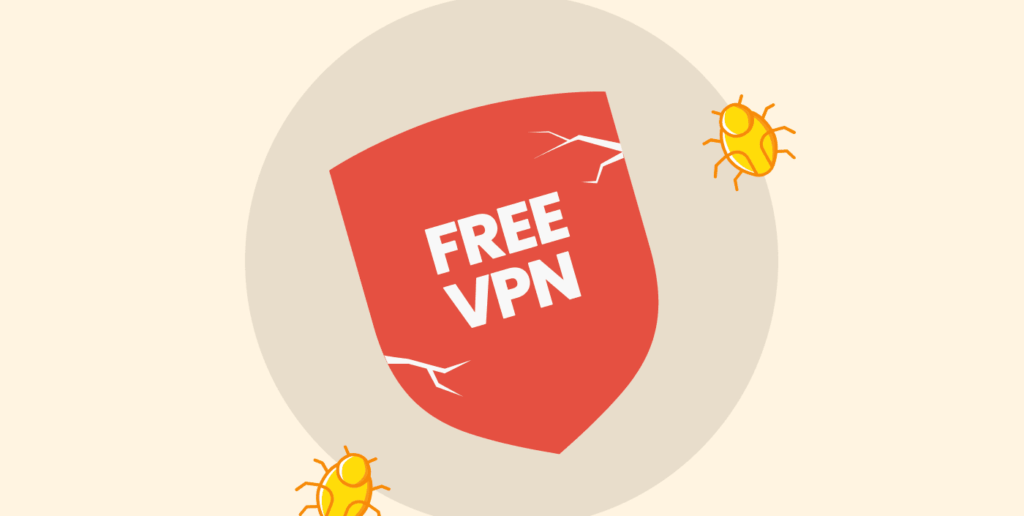
When looking for a VPN, you’ll likely find many free options. While some might give you a UK-based IP address, we discourage you from using them for the following reasons. (For better knowledge and your help, we have curated (after extensive tests) a list of the best VPN services to use in the UK.)
First, most free VPNs are slow and less reliable than premium options. As a result, you’ll have to endure slow or dropped connections and constant buffering when streaming.
Plus, free ones have fewer servers than the paid ones. So, the servers are likely to be congested, which can significantly impede the connection speed.
Moreover, free VPNs have unreliable security and privacy measures. Since they must make money to support their infrastructure, most free VPNs collect and sell user data and display ads. Some free VPNs are also known to embed malware.
Therefore, it is strictly recommended to use reliable premium VPN services like NordVPN and ExpressVPN. However, if you are on a budget, you can opt for VPN services with a free trial.
What about the UK TV license?
You are required to have a TV license to watch or record live TV in the UK, or you could face fines of up to £1000. However, a license isn’t necessary if you’re accessing on-demand content.
The only exception is when streaming content on BBC iPlayer, as you’re required to have a license. Before any show starts, a pop-up will ask you if you have a TV license, which you won’t unless you’re in the UK. That’s why it’s a bit tricky if you are watching from abroad. Fortunately, the enforcement of the TV license is minimal.
You can access BBC iPlayer when you are away from home if you have a TV license for your home address and the device isn’t plugged in. If you plug in the device, you need a license for that address.
The same website states that you cannot access BBC iPlayer from abroad, but you can watch the shows you downloaded before travelling (for a limited period of time). So, it doesn’t explicitly say if the licensing laws will apply if you’re abroad.
While it’s not clear, you should watch BBC iPlayer abroad if you have a TV license at your home address and haven’t plugged in the device you’re using. To be on the safe side and avoid the nasty fine, you should stick to the content you had previously downloaded.
How can I watch the English Premier League online live?

The English Premier League (EPL) is one of the most popular football leagues in the world, with millions of fans worldwide. Various broadcasters air the matches, including online live streams.
The major broadcasters in the UK are BT Sport, Sky Sports, and Amazon Prime Video. Unfortunately, they are geo-blocked in several regions. You can bypass the restrictions by spoofing your location with a GPS spoofer or with a VPN.
If you live outside the UK, you won’t be able to register for the above services (except Amazon Prime Video). So, you’ll need an alternative broadcaster. For example, you can use NBC in the US to watch the EPL matches. Also, if you are in Canada, you can subscribe to DAZN.
British TV channels you can access with a VPN
In the UK, traditional terrestrial TV channels have shifted to online platforms. While these channels still broadcast live on TV, most have online streaming services as part of the digital transformation.
Here’s our compilation of the best British TV channels and their corresponding online platforms you can access with a VPN.
| Platform | Channels | Free | Is a VPN necessary? |
|---|---|---|---|
| BBC iPlayer | BBC One, BBC Two, BBC Three, BBC Four, Radio 1, CBeebies, CBBC, Scotland, Parliament, News, S4C and Alba | Yes | Yes, if you are outside the UK |
| Channel 4 | Channel 4, Film4, More4, E4, The Box, 4Music, Box Hits, Kiss, Kerrang and Magic. | Yes | Yes, if you are outside the UK |
| ITVX | ITV1, ITV2, ITVBe, ITV3 and ITV4 | Yes | Yes, if you are outside the UK |
| BritBox | All BBC iPlayer and ITVX content, plus limited Channel 4 content, Channel 5, Paramount Global and Comedy Central | No | Available in the UK, US, Canada, Australia, South Africa, Sweden, Denmark, Norway and Finland – Otherwise, you’ll need a VPN. |
| Now TV | Sky Max, Sky Witness, Sky Showcase, Sky Atlantic, Sky Comedy, Sky History, Sky Documentaries, Sky Nature, Sky Crime, Gold, Sky Arts, Comedy Central, Alibi, MTV and Sky Sci-Fi | No | Yes, if you are outside UK |
| UKTV Play | Dave, Alibi, Eden, Drama, Yesterday, W, Gold | Yes | Yes, if you are outside the UK |
| My5 | 5Star, Channel 5, 5USA, 5Action, 5Select | Yes | Yes, if you are outside the UK |
| TVPlayer | Free: Channel 4, Channel 5, Film 4, More4, E4, 5USA, 5Star, 4Seven, 5Action, 5Select, Great! TV Premium: All of the above, plus Comedy Central, MTV, Comedy Central Extra, Sky History 2, Sky History HD, Nickelodeon, Crime+Investigation HD, Nicktoons, Nick Jr, Cartoon Network, Cartoonito, Boomerang | Yes | Yes, if you are outside the UK |
The most popular British TV shows
Here are some of the best British TV shows we came across while testing UK TV channels:
| TV show | Genre | Streaming on |
|---|---|---|
| Ashes to Ashes | Sci-Fi Cop Drama | NOW TV |
| Around the World in 80 Days | Action Adventure | BBC iPlayer |
| Friday Night Dinner | Comedy | Netflix |
| A Discovery of Witches | Historical Fiction | NOW TV |
| Strictly Come Dancing | Competitive Dance | BBC iPlayer |
| Being Human | Supernatural Drama | ITVX, BritBox |
What can I do if my VPN stops working with British TV?
First, you must use a reputable VPN when accessing British TV online. If it stops working, you can try these troubleshooting tips:
- Switch servers: Most streaming services block IP addresses they suspect are from VPNs. The easiest way to avoid this issue is to switch to a different server to get another IP address.
- Use a different browser: Your browser might be the problem, and switching to another one might solve the issue. You can also try clearing the browser’s cookies and cache.
- Restart your streaming device and router: This can resolve various issues if you cannot connect to your British streaming platform or VPN.
- Update your software: Update your browser, operating system (OS), and VPN software to the latest version to fix bugs and improve functionality.
- Contact customer service: Contact your VPN’s customer support, who might help you fix the issue.
- Try a different VPN service: If none of the above tips solves your issue, you can switch to a different VPN service.
FAQs
Due to geo-restrictions, you’ll need a VPN to access British TV in the US. So, subscribe to any VPN service on this list, connect to a UK-based server, and start watching your favorite content on your preferred streaming platform.
These services allow you to watch British TV shows within the UK or by using a VPN if you are in a different country. They include BBC iPlayer, Channel 4, BritBox, ITVX, TVPlayer, UKTV Play, My5, and NOW TV.
Utopia is available on ITVX, a reliable free streaming service. If you are in the UK, you can start streaming the show right away. However, if you are outside the UK, you can use a VPN to change your IP address and bypass geo-blocks to access ITVX.
Yes, some British TV platforms offer free content, including Channel 4, ITVX and My5. If you are outside the UK, you can use our recommendations on this list risk-free by taking advantage of their money-back guarantees.
Yes, but only on streaming platforms that aren’t exclusive to the UK. For example, BritBox is available in the US, Australia, Canada, and many EU countries. You can also use Netflix and Prime Video, which may contain UK content.