uTorrent has long been one of the most popular BitTorrent clients. However, in recent years, growing concerns around ads, bundled software, privacy risks, and performance issues have pushed many users to look for better options.
Today, torrenting safely isn’t just about download speed—it’s about avoiding malware, minimizing data exposure, and using software you can actually trust. Thankfully, several alternatives to uTorrent are available that offer faster performance, cleaner interfaces, stronger security, and almost zero intrusive ads.
This article explores the best alternatives to uTorrent today, highlighting torrent clients that prioritize speed, safety, and user control (without sacrificing features or reliability).
DISCLAIMER: This article discusses software for peer-to-peer (P2P) file sharing. The author and publisher do not condone copyright infringement or illegal file sharing. You are solely responsible for complying with all laws in your jurisdiction. Downloading or sharing copyrighted material without permission is illegal in many countries and can result in severe penalties. Torrenting carries inherent risks of malware and privacy exposure; using a no-logs VPN like NordVPN is strongly advised.
Top torrent clients like uTorrent – Quick list

Short on time? We’ve put together a quick, simple list of those torrent clients that do what uTorrent does better today.
- qBittorrent: Lightweight, open-source, and free of ads. It comes with out-of-the-box search plugins and supports streaming.
- Transmission: A minimal client that is stable, often boring, and works beautifully for users who want a tool that is “set it and done.”
- Deluge: A more complicated, customizable option with dozens of plugins, geared towards more advanced users who like to adjust their torrent experience.
- Vuze: Full of features like playback of media, torrent searching, and sharing with devices – but a little heavier on resources and usage.
- Tixati: Full of detailed controls of bandwidth and peers, fits towards the more techie torrenters.
- BitTorrent: Has the capacity to handle bulk downloads easily, with some nice automation features such as using an RSS feed.
- BiglyBT: Open-source and ad-free, comes with an Android companion app that you can use to control your downloads.
- Tribler: Has a focus on privacy on its own onion routing network, with tokens given to active community members.
- FrostWire: Combines torrenting and built-in media player and library to manage downloaded files.
- BitComet: Well-known for its cross protocol support (BitTorrent + HTTP/FTP), but also good at resurrecting “dead” torrents that need a seeder to download.
Why should you consider platforms like uTorrent?
If you have used uTorrent for a long time, you may be asking yourself: Why should you use something different?
After all, it still provides a way to download files, and it has not practically changed from when you last used it. However, there may be some troubling reasons under its familiar face to consider switching away from uTorrent.
- Security concerns: uTorrent has had a rocky security record. It once delivered an installer that secretly bundled a crypto miner, using your system resources without your permission. Meanwhile, security vulnerabilities have left its users open to exploitation that can allow attackers to control their devices from afar. In general, open-source options like qBittorrent or Tribler are much more secure, as anyone can check their code.
- Performance issues: Over the years, uTorrent has become quite bloated. Ads, unnecessary features, and bundled software are a vast resource waste and slow down performance. Alternatives like Transmission or Deluge are much more efficient, using less system resources, and are lightweight at the same time.
- Features: uTorrent still works, but it is so basic compared to others in the market in terms of features. There are built-in streaming options and integration of search and remote management. BiglyBT and Vuze have an immense amount of additional features, beyond even what uTorrent was offering back in the day.
- Accessibility: uTorrent does not have an official mobile app. Clients like FrostWire and BiglyBT have mobile apps that allow you to torrent on the go.
Best uTorrent alternatives to use today – Detailed list
1. qBittorrent

Free
Open-source and regularly updated
Slightly out of date compared to other flashier options
qBittorrent continues to outshine its competitors (uTorrent especially). Its focus on transparency and ease of use has helped the company move past the advertising and additional bloatware overlays that so troubled uTorrent.
Its open source trademark ensures rapid and reliable issue resolution on security loopholes, while its desktop footprint allows ease of use on a Linux, Windows, OR MacOS device. The agility on feature-dense platforms has helped streamline functionality on mobile devices, while on desktops, the advanced controls provide even further capability.
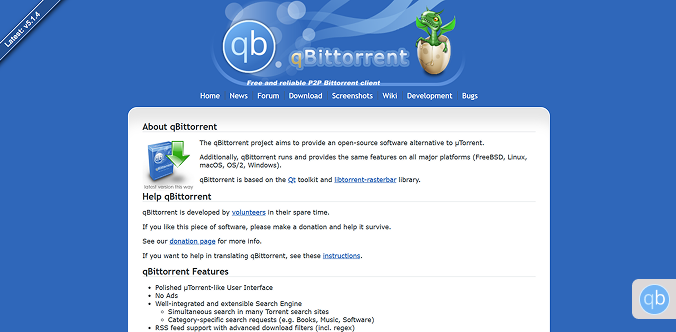
The sequential downloading and bandwidth scheduling features are especially touted, in addition to the internal search engine that allows torrent lookups on the app, as opposed to opening multiple browser tabs. Another element of its convenience that is not exactly complemented by the portable version. Its files can be configured in such a way that allows you to access them using a USB stick.
That said, it isn’t perfect. The interface may feel less polished to beginners, there’s no official mobile app, and the built-in search requires manual plugin configuration. Still, for users who value control, privacy, and an ad-free experience, it remains a strong choice.
(For a comprehensive, side-by-side breakdown of why qBittorrent is the safer choice, read our detailed comparison between qBittorrent and uTorrent.
2. Transmission

Free
Excellent support for Linux and CLI
Minimal layout may be too simplistic for some people
If qBittorrent represents balance and control, Transmission is the zen master of torrent clients (quiet, simple, and completely distraction-free). It’s open-source, entirely free, and ad-free, making it ideal for users who want their torrents to run smoothly in the background without constant tweaking.
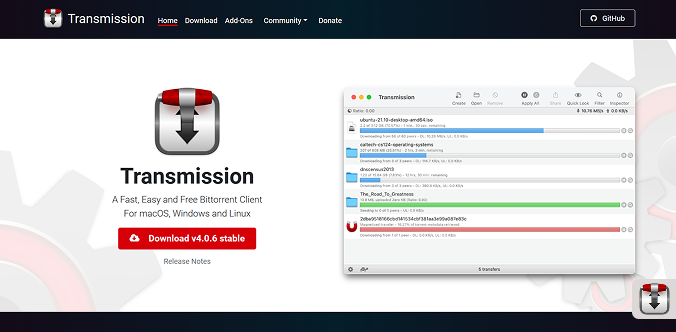
From the moment you open Transmission, its ultra-minimal interface stands out. Instead of overwhelming you with buttons, panels, and advanced menus, it focuses on the essentials: add a torrent, monitor progress, and let it do its job.
This stripped-down design isn’t just about looks—it keeps Transmission incredibly lightweight, using minimal system resources even during heavy seeding.
Transmission runs reliably on Windows, macOS, and Linux, and it’s known for its stability and consistency. The trade-off, however, is fewer advanced features, which may leave power users wanting more control.
3. Deluge

Free
Open source and lightweight
No complete Windows 11 support
Deluge has a solid (and repeatable) base client that handles torrenting well for Windows, Linux, and Mac. But if you want additional features, you can add plugins (whether it’s an official plugin or a community plugin – that turn it into a robust client).
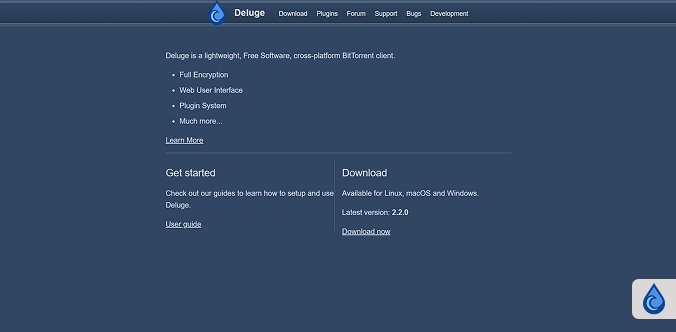
From bandwidth schedulers to RSS support, to extensive automation and notifications, there seems to be a plugin for almost anything you want. This extensibility is what sets Deluge apart (most torrent clients only offer box-standard features).
Deluge allows you to do so much more, but everything has its price, and there is a definite learning curve that comes when using any advanced functionality.
Some of the plugins you add may break on updates, and not all plugins follow a similar maintenance schedule. Plus, if you’re a Windows 11 user, some of the latest versions of Deluge don’t fully support it yet, which most probably will be fixed in the future.
4. Vuze

Free
Packed with features for advanced users
Free version is ad-supported
In the event that you would like a torrent client that also has additional features, Vuze should be your number one choice. While keeping in mind the minimal design of the interface, Vuze targets on making it an all-in-one multimedia hub as an addition to a torrent client, unlike Transmission which is simplified.
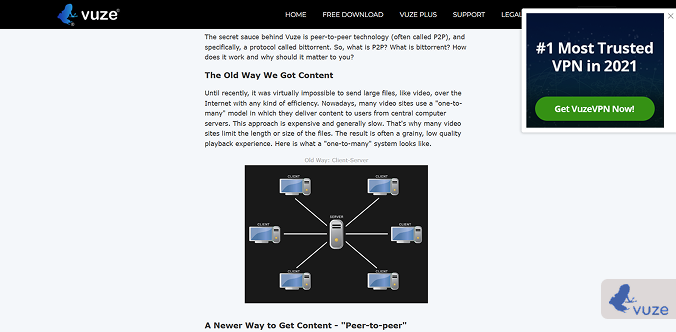
The client has some very impressive features, such as the built-in HD video playback and the ability to search for videos within the software. You can also download, convert, and watch the videos without the need for a third-party media player.
Vuze also has DLNA support, so you can monitor and share files to smart TVs and other compatible devices. You can also search multiple torrent sites at the same time, so you can download files more easily using the meta search function.
The trade-off? Vuze’s additional features consume more system resources than most of its competitors. On older machines, it feels slow, especially with the media player and antivirus integration left on. The free version contains ads, but they are removed in the paid version.
5. Tixati

Free
Comes with advance controls and stats
Functionally overwhelming for first-timers
Tixati is a torrent client that is meant for power users. Most alternatives focus on simplicity; Tixati provides you with a dashboard with the statistics and control you need. You could customize almost everything you do with your torrent operation, from bandwidth allocation, peer connections and advanced scheduling rules.
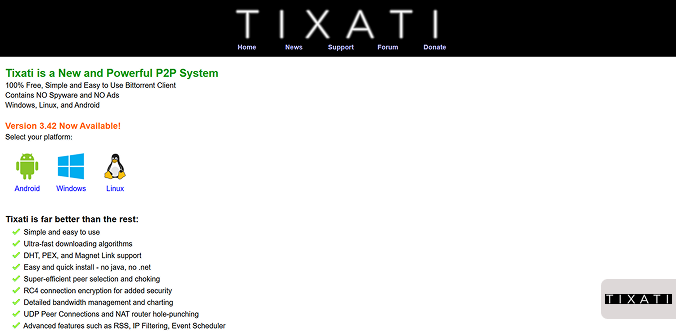
If you are someone who enjoys seeing graphs and real-time information, it is the perfect app for you. You should be aware that Tixati is completely free and has no advertising, which sets it apart from heavy clients like uTorrent.
It is available on Windows and Linux, so if you are a PC user who is looking for something different, you might really enjoy Tixati. With complete customization comes complexity. Tixati is not open-source, which, for some privacy-minded users, gives them concerns.
Also, despite having a function interface, first-time users may find Tixati overwhelming if they are relatively new to torrenting. Further, the client doesn’t play well with all private trackers. So anybody advanced users who are basing their activities in deeper niche communities may find compatibility issues with Tixati.
6. BitTorrent
It may seem unusual to list BitTorrent as an alternative—given its close association with uTorrent—but it has managed to maintain a comparatively stronger reputation and remains one of the most widely used torrent clients worldwide. Designed for efficiency and high-volume downloading, BitTorrent works especially well for users who regularly manage multiple torrents at once.

One of its standout strengths is automation. With built-in RSS feed support, BitTorrent can automatically start downloading torrents as soon as they’re published by trusted sources.
Users can also prioritize downloads and allocate bandwidth individually, ensuring critical files finish first without slowing everything else down. Like most modern clients, it downloads files in small chunks from multiple peers to improve speeds and maintain a healthy swarm.
That said, BitTorrent does include ads and optional bundled offers, which may frustrate privacy-focused users. Still, its network-limiting tools and smart management features make it a practical option for bulk torrenting.
7. BiglyBT

Free
100% free and open-source
Heavier than minimalist clients
BiglyBT is a fully open-source torrent client that flies under the radar, but it’s well worth exploring if you value freedom, transparency, and advanced functionality. Built as a fork of the once-popular Vuze client, it keeps Vuze’s strongest features while stripping out ads, bloat, and unnecessary distractions. It remains completely free and community-driven.
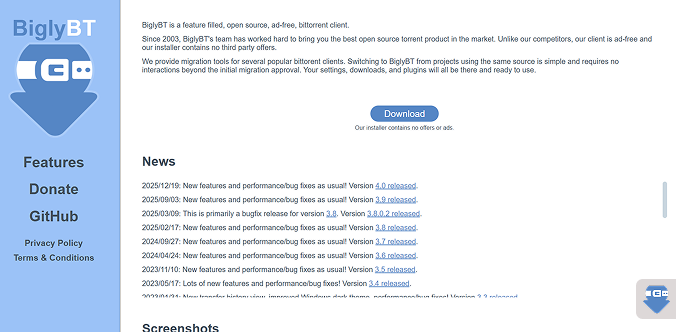
One of its standout advantages is its companion Android app, which lets you remotely manage torrents from your phone. You can start, pause, or monitor downloads without sitting at your computer—an excellent option for users who want flexibility.
BiglyBT also offers deep customization, including detailed analytics, precise bandwidth controls, and configurable seeding rules.
It even supports VPN integration and swarm merging to improve peer availability. However, this depth comes at a cost. BiglyBT isn’t lightweight, and its feature-heavy interface may overwhelm users who prefer a simple, no-frills torrenting experience.
8. Tribler

Free
Decentralized search requires no index
Download speeds are slower
Tribler stands out as one of the most unique torrent clients available because it builds privacy directly into the software. Unlike most torrent clients that depend on external tools like VPNs or Tor, Tribler includes its own built-in onion routing network (which anonymizes internet traffic by encrypting data in multiple layers). Every user can function as both a relay and an endpoint, which routes traffic through multiple nodes before it reaches its destination and significantly improves anonymity.
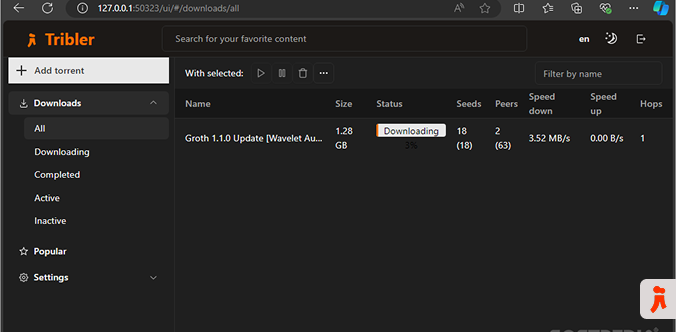
This privacy-first design does affect performance, as downloads often run slower than on traditional torrent clients. However, Tribler compensates with a fully decentralized search engine that lets users discover torrents directly through the peer-to-peer network rather than relying on centralized indexes. This approach makes censorship and takedown attempts far more difficult.
It also encourages community participation by rewarding users with tokens for seeding and supporting the network. Users can spend these tokens to unlock faster speeds, improved privacy options, and other benefits.
On the downside, Tribler lacks the polish and smooth user experience found in mainstream clients like qBittorrent, and its added encryption layers can make downloads feel sluggish.
9. FrostWire
Free
Built-in media player & library
Installers may have bloatware (need to opt-out)
FrostWire is also a torrent client that seeks to go beyond just being a downloader, but also a media manager! It has a media player and media library in addition to being a torrent downloader, which means you can organize, browse, and play your downloaded media files all in one application.
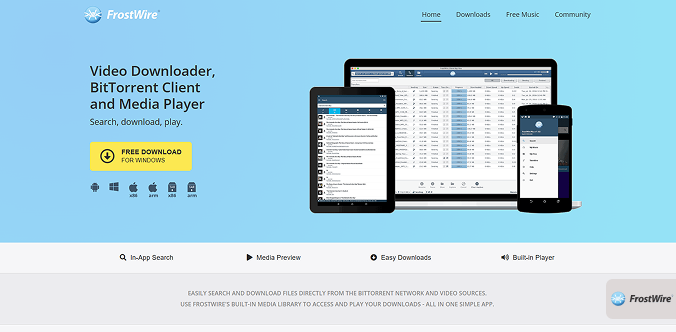
If you download a lot of music or videos, being able to keep everything collectively organized is nice. FrostWire works on multiple platforms, including Windows, Mac, Linux, and Android. The Android version even allows torrenting on the go; it’s something most other alternatives don’t provide.
On the downside, FrostWire has bundled its installer with bloatware repeatedly over the years, so just pay attention during the installation process and uncheck anything you don’t want.
Using it is free, but those installer issues can leave a bad first experience. Also, while the interface is easy to use, it might seem busier than some of the minimalistic clients, which may not appeal to some users.
10. BitComet

Free
Can restore torrents with zero seeds
Some options are limited to Windows
BitComet has been around for years, and while it often flies under the radar compared to top-notch torrent apps or clients, it offers several standout features. One of its most impressive capabilities is the ability to revive dead torrents (torrent files for which there are no longer active peers to download from)
When a torrent has no active seeders, BitComet searches for missing file pieces on the web using HTTP and FTP sources, which can make the difference between a failed and a completed download—especially for older or less popular files.
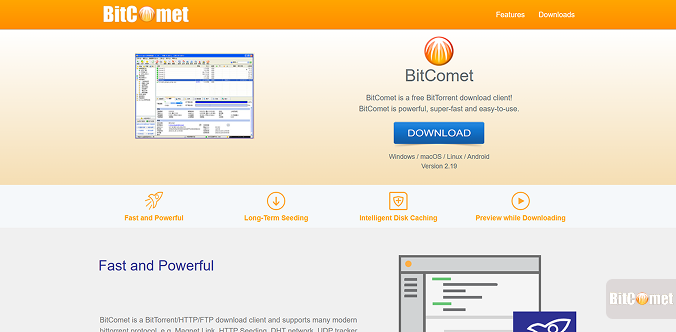
The client also supports Magnet URIs and DHT, allowing users to start downloads without needing a .torrent file. The client automatically locates peers, which simplifies and speeds up the process. Its intelligent disk caching system reduces frequent read-and-write operations, helping improve performance and potentially extend hard drive lifespan during long download sessions.
On the downside, BitComet includes a built-in VPN feature, but it offers limited control and flexibility compared to dedicated VPN services like NordVPN. Additionally, the interface feels dated, and privacy-focused users may find its closed-source nature less reassuring than fully open-source alternatives.
Is uTorrent legal?

One commonly asked question is “Is using uTorrent or any torrent client legal?” The answer is yes, using uTorrent, along with other torrent software, is completely legal. (Read our comprehensive insights on this topic.)
Torrent clients are simply tools to allow for peer-to-peer (P2P) file sharing, which is not illegal. The legality lies in the activity you do with uTorrent and/or other torrent clients.
If you are using uTorrent (or other P2P file sharing tool) to download, share, or distribute open source software, free media, or files you have the authority to distribute, then you are acting completely legally to do so.
If there are no discrepancies between the user agreements and policies, the user may download content using uTorrent, and their actions may also be considered illegal for distributing copies of the work.
(In case you want to continue using uTorrent itself, you must take extra precautions. We have a dedicated guide on how to download with uTorrent anonymously and safely today.)
Different nations may hold different opinions:
- No laws or restrictions on personal use: Marshall Islands, Poland, Spain, Somalia, and Switzerland.
- There are no legal ramifications; however, prosecution is rare: Argentina, Brazil, Canada, India, Mexico, the Netherlands, Russia, and other nations.
- Actively pursued by the law: Australia, Canada, China, Germany, France, Japan, the United Kingdom of Great Britain and Northern Ireland, South Korea, the United States, Italy, the United Arab Emirates, and even more.
The country’s legal stances may differ, but once something is viewed on the moderate side of the law in one nation, it may face restrictions, overwhelming fines, or even worse in another.
That’s why many torrent users protect themselves through a VPN. Even though a VPN does not make unlawful downloads legal, it does make your activity and identity invisible from user trackers, ISPs, and perhaps even lawsuit tracking.
To put it simply, torrenting software is not illegal. The only thing that matters is your intention and how you go about it.
Utilise legal files, follow legal guidelines applicable to your country, and most importantly, use a reputable VPN service for your torrenting client to be free from adverse external factors concerning your privacy.
Why you need a VPN to use torrent clients like uTorrent

To torrent without a VPN is like turning on a megaphone and yelling out your home address in a crowded room. You will be exposed immediately.
When you connect to a peer in a torrent swarm, they now have your IP, exposing you to significant torrent privacy risks and potential IP leaks. Your ISPs can certainly see the sites you visit and the files you are downloading, and throttle your connection if they observe high traffic of torrent swarms on your account.
A VPN (Virtual Private Network) just solves all of that and eliminates all risks and threats of revealing your identity in any way.
This is done by routing your traffic through an encrypted tunnel that no one can see, is undetectable by your ISP, copyright monitors, and anyone else who may be looking for some unsuspecting victim on a torrent swarm. With your real IP masked by the IP address of a VPN server you use, no one in the swarm can trace downloads to you.
Yet, geographically-restricted anonymity is only one of the two main benefits to using a VPN while torrenting. ISPs throttle torrenting traffic indiscriminately to save bandwidth. If an ISP cannot pinpoint a user’s torrent activity, that user is more likely to receive stable downloads.
Also, good VPNs block ads and malicious phishing sites, which are great features when visiting certain torrent indexes that are not always reliable. The unfortunate reality is, not all VPNs are equal for torrenting. VPNs like NordVPN and ExpressVPN are examples of torrent-friendly VPNs to use today.
They all allow unlimited P2P traffic, and have a strict no logs policy, identity protection features like a kill switch, and more. Broadly, you have high chances of maintaining your privacy with VPNs, torrent clients such as uTorrent, and others.
Best VPN to use with uTorrent substitutes: NordVPN

A top recommended VPN that offers several impressive features and commendable security for non-stop torrenting.
 Over 8,000 secure-VPN servers present in 120+ countries
 Boasts P2P optimized servers
 Double encryption mode
 Allows connections to 10 devices simultaneously
 30 days of pay-back guarantee
 Super-strong protection for web leaks
 Has double VPN feature
 Comes with customizable kill switch
 SmartPlay feature
 Has Tor compatibility
Pros
- Fast speeds across almost all locations
- Provides stable connection while playing PUBG
- Keeps adding new features at pace
Cons
- DDoS protection only protects your IP address, there is no whole server protection
When using a VPN for torrenting, not all are created equally. Some are slow, some log your data, and some do not even allow torrent traffic to the point of blocking it. NordVPN optimally comes to the top as the best compatibility with any alternative to uTorrent client.
At its core, it has multiple P2P optimized servers in about 50 countries that are made for torrent traffic, so you will not have to deal with any annoying slow speeds.
Additionally, NordVPN offers a NordLynx product, which is built on WireGuard technology that has fast download speeds and is secure; in fact, it is still faster than the home internet connection.
Now speaking about security, NordVPN checks off all the requirements, no-log policy, AES-256 encryption, and a kill-switch, which enables you to never have your IP leak to the swarm when the VPN drops. It’s a win-win.
It also offers Threat Protection for an added layer of protection. This feature blocks malicious ads, trackers, and questionable sites that you may encounter while torrenting. Both mobile and desktop apps are basic enough for beginners to use, but with advanced options for power users.
From torrenting with qBittorrent on your laptop to managing BiglyBT on your phone, NordVPN works flawlessly. Unlike some other premium VPN providers, it offers a good performance-to-cost value, as it allows you to connect 10 devices simultaneously with a single account.
FAQs
Not really. Between the ads, the bloatware, and the malware series, uTorrent has lost almost all of its once clear trust. Most privacy-oriented users now prefer safer, ad-free clients like qbittorrent.
qBittorrent is the clear winner. It’s free, open source, lightweight, and does not give you ad after ad – qiBTorrent is the clear best option for most torrenters.
In theory, yes, but with some risk. If you don’t use a VPN, anyone who is in the torrent swarm will see your IP address – including your ISP, and any companies that monitor copyright infringement. Your ISP can observe what you are doing, so can your peers. You may also face throttling or privacy issues.
Yes. BiglyBT and FrostWire both have Android apps, while most of the other alternatives are desktop only.
NordVPN is the best combination of speed, security, and affordability. If NordVPN is not for you, ExpressVPN and PIA are also good choices.