Dailymotion has been around for nearly two decades, offering a familiar YouTube-style experience with millions of videos, channels, and creators. But as online platforms face growing scrutiny over data privacy, harmful content, and security risks, many users are now wondering if Dailymotion is still safe to use today.
Whether you’re watching niche content, uploading your own videos, or embedding Dailymotion on your website, understanding the platform’s safety standards is crucial. From past data breaches to current moderation policies, privacy practices, and malware risks, this guide breaks down everything you need to know.
Read this article to learn whether Dailymotion is safe to use, how to access it safely from anywhere, and more.
What is Dailymotion?
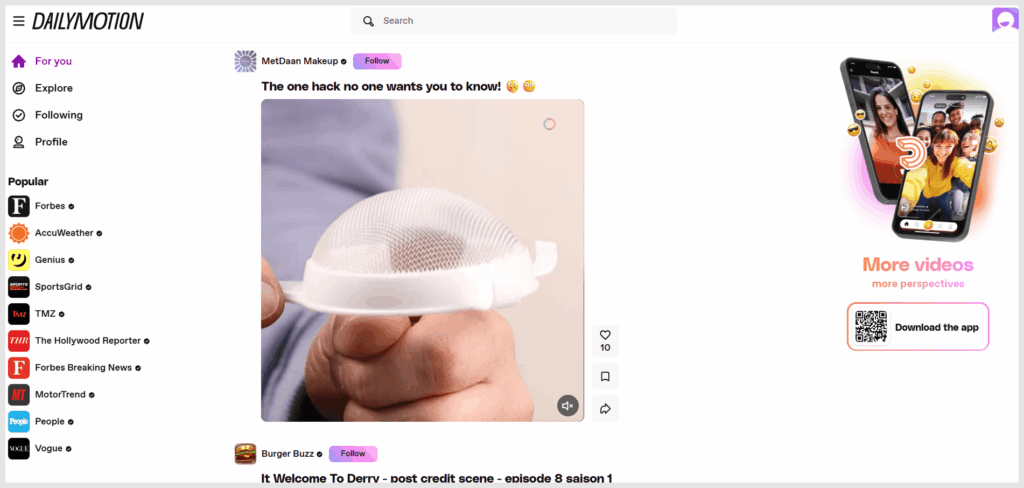
Dailymotion is one of the world’s largest video streaming platforms for users from all backgrounds. It started operations in 2005 and provides video content to users worldwide. Vivendi, a major mass-media corporation in France, currently owns Dailymotion. The platform has over 300 million users worldwide.
The platform is completely free to use and provides content to users in various categories, including featured content, news, entertainment, sports, and more.
The featured section on Dailymotion is based on data such as user location and preferences so that users can get content that suits their needs and preferences.
Like YouTube and other video-sharing platforms, Dailymotion allows users to watch and upload videos. This means that the platform is basically like many social media platforms. However, they’ve partnered with leading content creation channels, such as Le Parisien, CBS, CNN, GQ, Vice, Universal Music Group, and others. This allows them to serve users with high-quality content from trusted creators continually.
Besides, the content on Dailymotion is high-quality, as users can watch videos in formats up to 4K Ultra HD. You can also consider it as one of the most suitable YouTube alternatives to use today. Dailymotion also supports all standard video formats, meaning users can upload their content seamlessly.
Is Dailymotion safe? The threats and issues of Dailymotion
Like any streaming site online today, Dailymotion has advantages and disadvantages. You need to sort through millions of hours of video content from people of different backgrounds, which shows the app’s vastness. Nonetheless, Dailymotion has developed algorithms to enhance the platform’s security.
To start, they have rules for safeguarding copyright on Dailymotion. By following these rules, one can guard against copyright violations and prevent unauthorized use or monetization of content. They also feature an age gate filter that keeps younger viewers away from inappropriate content.
Nevertheless, there are issues with the platform. The following are some of the risks that users on the platform can face:
Inappropriate content
Users can still publish potentially age-inappropriate content on Dailymotion. But like top video-sharing websites, Dailymotion also has an age gate filter that keeps users from seeing content meant for older audiences. If your child utilizes the platform, you should activate this option to prevent them from viewing it.
Malware and malicious links
Streaming services such as Dailymotion are a significant target for malicious actors. While the platform tries to reduce this, it is almost impossible to get every one of them. This means that users must be careful when clicking suspicious links on the platforms. These links can lead to users downloading malware, entering a phishing scam, or some other security threat.
The main malware threat on Dailymotion comes from malvertising (malicious advertisements injected into the ad network). These ads can trigger drive-by downloads (exploiting browser flaws to install malware without clicking) or lead to sophisticated phishing pages. While Dailymotion filters ads, determined attackers can slip through.
To protect yourself, you can also purchase a trusted antivirus software like Norton 360 or TotalAV. This helps to detect any malware or viruses on your device that you may have accidentally downloaded by clicking a suspicious link.
Copyright infringement
Copyright infringement is a common issue on large platforms. Users may sometimes upload content that violates copyright laws. This may be because they do not own the content or the rights to distribute it.
While Dailymotion is actively working to solve these copyright issues, there is still a risk of encountering such content. If you encounter any such issue, you can directly report it to the platform.
Privacy concerns
Dailymotion collects user data from millions of people to improve its services. However, like any other online platform, you must be mindful of the information you share.
The video streaming platform has privacy settings, but as a user who cares about your privacy online, it’s always a good idea to review and adjust these settings according to your preferences. This lets you control how much people can see about you on their website.
Dailymotion’s data practices under the microscope
Dailymotion’s privacy policy states it collects data for personalization and advertising, including viewing history, search terms, device fingerprints, and IP addresses. As a French company (Vivendi), it is subject to the EU’s GDPR, giving European users significant control over their data. Users elsewhere should manually review their privacy settings in the account dashboard.
Limited content moderation
Dailymotion has a dedicated team to handle content posted on its platform. However, they may have less robust content moderation because they are smaller than YouTube. Limited moderation may lead to a higher possibility of encountering inappropriate content.
Nevertheless, they have strict measures against this, including their default age gate filter and content algorithms, which present the highest quality content to users.
Is Dailymotion safe for children?
On Dailymotion, a filter function allows users to restrict audiences from sensitive content. This feature, called an age gate, is available on both desktop and mobile.
As an internet user, it’s essential to ensure that children use internet services safely. Various internet platforms can easily lead children towards inappropriate content, so this question is crucial for parents. There are several precautionary measures you must take to keep your children safe online.
Dailymotion’s creators considered that when building their platform. If you’re concerned about your child’s platform use, turning on Age Gate would be a great idea. Here’s how to turn on Age Gate when browsing videos on Dailymotion:
Desktop
If you’re using Dailymotion on Desktop, you can follow these steps:
- Open the Dailymotion website on your browser by typing dailymotion.com.
- Log in to your Dailymotion account. It may already be logged in by default.
- Scroll down the main page to the bottom to find the Family Filter feature.
- Click on Family Filter to activate the age gate.
Mobile device
Here’s how you can activate the Age Gate feature if you’re using Dailymotion on your mobile device:
- Open the Dailymotion application by clicking the icon.
- Switch to the Library tab from the main screen.
- Tap on your profile, usually at the screen’s top right corner. This will give you access to the Settings page.
- On the Settings page, locate the Family Filter option.
- Click on it to turn it on.
Content creators can also add a filter so that only users of the appropriate age will see it. You can’t monetize age-restricted videos, though. However, if you want to create content and add age restrictions, here’s how to do so:
- Open the Dailymotion website or app.
- Upload the video or content to which you want to apply an age-gate.
- Navigate to Partner HQ.
- From there, locate Media.
- This takes you to several media options. Select Video.
- Click the video you want to add an age-gate to.
- Check the Age-restricted content box.
- Press Save to apply the changes.
Is Dailymotion free?

Dailymotion is a free service; anyone can visit and join it without doing much. Also, you don’t even need to register your account to get full access.
However, the platform needs to raise money to run the service, and it does this by running third-party ads. This means that users may be exposed to advertisements from third-party sites that they may not fully trust. Therefore, it may be necessary to use a reliable VPN like NordVPN when accessing Dailymotion.
Is Dailymotion available worldwide?

Yes, Dailymotion is available in over 150 countries across the world, and it is entirely free. Additionally, the platform supports over 180 languages so that users can access the continent wherever they live.
However, the app still has geo-restricted content. Additionally, content creators can specify that they want to restrict their content to specific regions. This means that users in certain parts of the world may be unable to see specific content.
If you want to get around geo-restrictions and get full access to all that Dailymotion offers, then you’d need a VPN. A VPN hides your IP address and routes your internet traffic through a different device, making it seem like you’re in a different location. This provides you with immediate access to any location-restricted content.
How to make a Dailymotion video: Step-by-step process

The first step to creating an excellent video for Dailymotion is using suitable tools and software. To make your video, you may need animation studios, lighting, cameras, and other equipment, depending on the content.
This is a detailed explanation of how to create a video for Dailymotion:
Install the video editing program that you downloaded
Excellent video editing programs are available online for PCs, Macs, and mobile devices. Choose one with the features that best meet your needs. For high-end work, we advise utilizing a PC or Mac, but you are free to use whatever device of your choice.
Next, see if it’s available on the Play Store, App Store, or Microsoft Store (app store of whichever device you’re using). To install it, download it to your device and follow the installation instructions.
Start the application
After the installation, click the icon to start the video editing program. Certain gadgets will initiate the program automatically as soon as you install it. As an alternative, you can use your Startup menu to look up the name of the video editing program.
Import your video files
Once the application has launched, you may begin editing your video. Open your video editor or any other similar interface and select the ‘Import Media’ tab. The video files you choose to include in your Dailymotion video are selectable. Depending on the app or device you’re using, you can launch ‘File Explorer’ and drag the movie into the software interface.
Edit your video content
Here, you can make magic with your video content. Arrange the videos along the timeline in your preferred order, bringing them back and forth according to how they should appear. You can trim, split, reverse, speed up, or slow down the video.
You can remove or add audio, text templates, video transitions, and color correction. The number of possibilities depends on which program you’re using, and you can combine features from multiple programs by exporting from one to another.
Export the video
When you’re satisfied with your editing, you can export your video. Locate the Export (or Save) function in your video-editing software tool to do this. Here, you can choose your preferred format, set the resolution, and name your video file.
Ensure you select a standard video format, such as MP4. You can then hit the Export button to save the video file to your device.
How to upload a Dailymotion video: A Step-by-step guide
Uploading your video to Dailymotion is easy and seamless. Here’s how to go about it:
- Open the Dailymotion website or app on your computer or mobile device.
- Log in to your Dailymotion using your Google account.
- Visit your profile page at the top right corner of the screen.
- Select the Settings option.
- Click upload.
- Select the video you’d like to upload. Wait for the video to be uploaded.
- Press edit and publish to publish the video to the Dailymotion website.
- Look for the uploaded video and click edit video to add details such as the video title, category, tags, and description.
- Save changes.
Top alternatives to Dailymotion
While Dailymotion is one of the world’s most reliable video streaming and sharing platforms, it also has some drawbacks, like less secure and limited content. For that reason, you may consider its alternatives. Here are the top 5 platforms where you can share or watch video content.
1. YouTube
Besides being the world’s largest video hosting and sharing site, YouTube handles the second largest search volume, only behind Google. YouTube has billions of users, and you can find content on almost any topic on the platform.
Additionally, creators on the platform can make money from their material by using YouTube’s revenue-sharing scheme. This covers memberships, Premium subscriptions, and ad revenue. Users can watch videos, movies, and TV series from any country on YouTube, which is accessible everywhere.
However, the repetitive ads can disrupt your streaming experience, as the platform supports third-party ads. You can block these ads by subscribing to YouTube Premium or connecting to the VPN’s server in Albania. (Read our dedicated article on how to block YouTube ads.)
2. Vimeo
Similar to Dailymotion, Vimeo is an intriguing alternative video streaming service. With over 300 million users, Vimeo was founded in 2004 by Zach Klein and Jake Lodwick to provide high-definition videos for its audience.
Enterprise software solutions, broadcasting, editing, and video creation capabilities are all available to Vimeo subscribers. They also give video pros a means of communicating with their clientele. Vimeo shows films in up to 4K Ultra HD and receives more than 100 million unique visitors each month.
However, the platforms has limited free version and lesser content library than Dailymotion and YouTube.
3. Twitch
Twitch is a well-known live video streaming network that was founded in 2011 by five US entrepreneurs. It is primarily used for sharing video game content, esports, and music broadcasts. Despite being more known for streaming video games, Twitch also allows users to contribute other kinds of video material, such as creative videos.
Well-known video games, including Grand Theft Auto V, Helldivers 2, League of Legends, and others, work perfectly with the platform. There are millions of users on the platform, where users can exchange and broadcast information.
However, low discoverability for small streamers, high competition, a steep climb to monetization, and a saturated market make it a less reliable option.
4. Veoh
Launched in 2005, Veoh is a platform for long-form videos and entertainment. Like Dailymotion, Veoh features a lot of interesting categories, including movies, video games, sports, and music.
It is popular for its curated content and user-generated clips. The platform was originally launched as a virtual television network. Today, it has evolved to feature diverse content.
Veoh offers HD video and is free to use. But the video quality isn’t as up to the mark as other on the list.
5. TikTok
TikTok is a popular platform for sharing videos in vertical format. It is best for short-form content, ranging from three seconds to ten minutes. Created in 2016 by ByteDance, the app has significantly grown in popularity, reaching 1.6 billion users today. Users can watch videos on almost any topic, follow their favourite creators, like, comment, and share.
TikTok also provides video editing features like filters, on-screen text, and more. Additionally, the platform, which is available in 40 languages, allows users to follow popular global trends.
However, due to its link with the Chinese company (which is infamous for stealing and selling users’ data), your privacy is always at risk. As your privacy guide, we advise you to use a stealth TikTok VPN to remain safe on it.
What’s the difference between YouTube and Dailymotion?
Both YouTube and Dailymotion are widely popular in terms of video streaming. But while YouTube and Dailymotion are both video-sharing and streaming platforms, they have a few essential differences. Let’s take a look at these differences:
User base
YouTube is by far the most popular video-sharing platform in the world. Its massive user base exceeds 5 billion, with millions of hours of content. Dailymotion is also very popular, but less so than YouTube. It has a smaller user base than YouTube.
Content
YouTube hosts a vast array of content. Users can learn almost anything from the platform, from knitting a tie to cooking a meal. You can also find short videos, documentaries, comedy, music videos, and even movies on the platform.
The vast numbers of creators on the platform contribute to the diversity of YouTube’s content. Dailymotion also offers a variety of content, but it is less diverse than YouTube.
Video length
YouTube hosts many lengths, from short clips to full-length films. The platform recently launched YouTube Shorts, a feature dedicated to short videos of only a few seconds.
Dailymotion also hosts videos of various lengths, but the platform is mainly suited to quick, concise content. This means that users will often find shorter videos on Dailymotion.
Malware and viruses through third-party advertisements

Pop-up ads from third parties are one of the major ways that Dailymotion gets its funds. While they can be an annoyance, they can also constitute a danger to users who are unfamiliar with them.
Some pop-up ads may have links that lead to malicious websites, malware, or viruses. In fact, in the past, it was reported that Dailymotion had some malicious ads that many suspected were variants of the Graftor Trojan. Although they have made efforts to make the platform free of malware, it is essential to be vigilant.
How to fix this Dailymotion safety issue
Depending on the source, third-party advertisements could put your device at risk.
If you’re concerned about contracting malware on your device, there are a few measures you can employ. One way is to minimize clicking suspicious links. Because you cannot predict where an external link will take you, it’s best only to click links you know about.
We also recommend that you get a reliable antivirus on your device. Antivirus programs add an extra firewall layer to your network to detect malicious activities. Additionally, they scan your device regularly to check for malicious software, allowing you to remove it.
Copyright infringement cases on Dailymotion
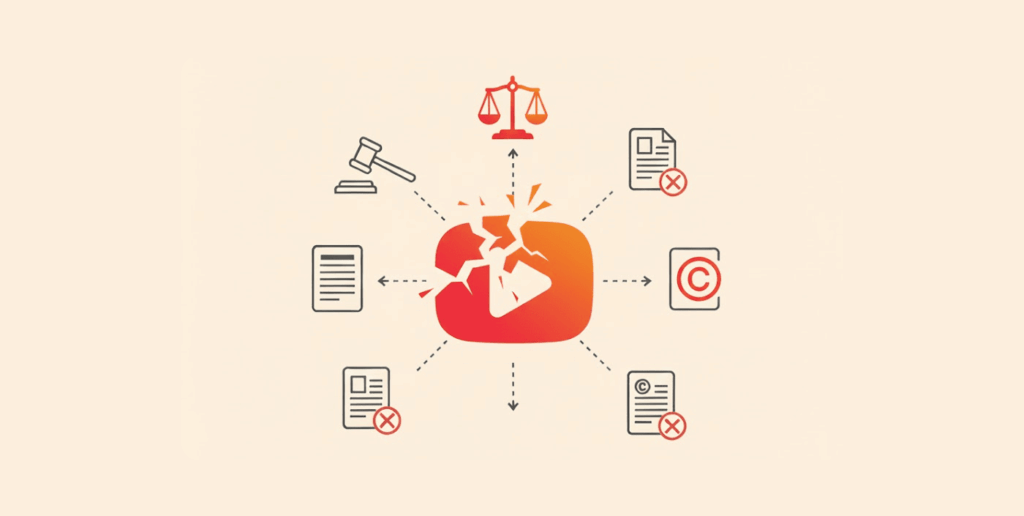
Controlling every video that users post on large platforms can be challenging. This means that videos on the platform have sometimes run afoul of local copyright laws in some countries.
Due to harsh censorship or surveillance laws, Dailymotion is blocked in a few countries, such as China, Kazakhstan, Russia, and North Korea. This means that not everyone across the world can access Dailymotion.
How to fix this Dailymotion safety issue
While some content on the platform may violate copyright laws, this does not apply to all its videos. As a user, it’s always important to be vigilant and look out for content that potentially violates laws. Copyright violations include unauthorized use of music, clips, reproductions of TV shows, and unauthorized remixes.
However, it’s still true that not all of Dailymotion’s content violates copyright laws. So, if you want to access Dailymotion like the rest of the world, a VPN is the safest way. With top VPN software like NordVPN, you can access Dailymotion content without violating copyright laws. (We have curated a list of the most reliable VPN services overall to use today in this guide.)
How to tackle security risks on Dailymotion
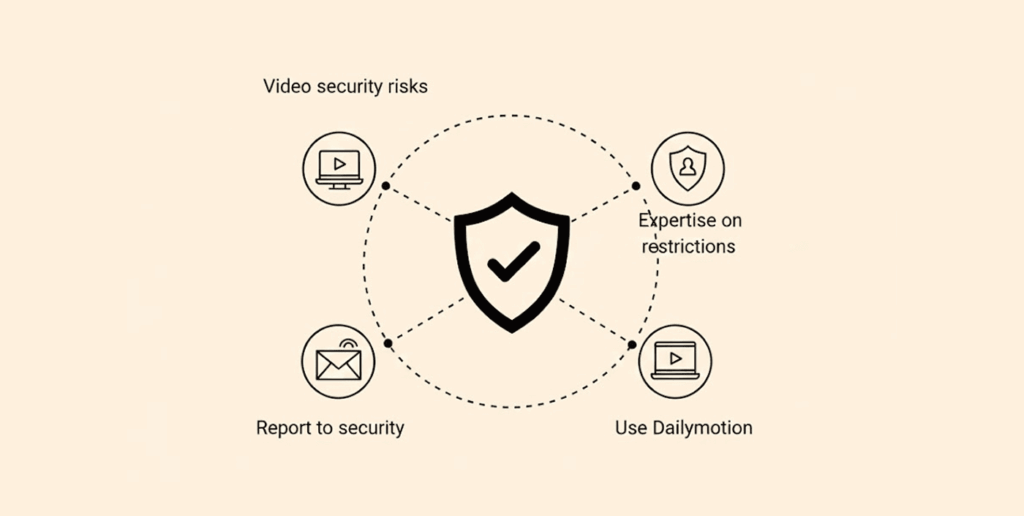
After learning about Dailymotion’s potential risks and challenges, it is essential to understand how to tackle or avoid them. In this section, we’ll explore ways to tackle these security risks on the platform:
Turn on the age gate
Regarding internal features to protect yourself on Dailymotion, the age gate is among the most valuable features. The age gate feature helps users restrict content meant for adults from being displayed to viewers. To turn on this feature, visit the help section and select Age Gate. This will prevent you from viewing any mature or age-restricted content.
Download an antivirus
Due to malicious third-party cookies or applications, it may be challenging to know if there is any malware on your device from a suspicious ad or provider. To protect yourself from this malicious software, you can download an antivirus.
Antivirus programs regularly scan your device to detect any malware. They then isolate and quarantine the file so that you can remove it from your device.
Adjust privacy settings
You can also choose to limit the amount of your data that is shared on Dailymotion. As a privacy-focused user, there are a variety of settings that Dailymotion provides for you to protect your data.
Visit the privacy settings to set who can view your videos, comments, and profile. You can block specific accounts and prevent search engines from viewing your videos or channels. This helps you to protect your profile as a user.
Avoid suspicious links
While on Dailymotion, it is also important to be careful about the links or third-party websites you visit from the platform. Only click on links from trusted providers; even then, be cautious about which ones you click.
Always double-check for websites that ask you to submit personal details to avoid phishing scams.
Report inappropriate content and copyright infringements
As a member of the Dailymotion community, it is essential to contribute to the safety of other users. If you come across content that is against copyright laws or inappropriate, take a few seconds to report it to the platform’s admins.
You may be saving another user from having to deal with issues around their privacy, and you’ll help to contribute to the overall safety of the platform.
Use a VPN
A VPN is one of the most reliable ways to protect your data on the internet. If browsing without a VPN, you could expose yourself to hackers who can monitor your data through an insecure network or ISP. A VPN masks your identity by providing a different IP address, so you cannot be detected.
Best VPN to use Dailymotion safely: NordVPN

One of the most favorite VPN services with an extensive number of secure servers and super-reliable speed.
 8,000+ secure-VPN servers present in 120+ countries
 Owns P2P optimized servers
 Offers a double encryption mode
 Allows connections to 10 devices simultaneously
 30 days of pay-back guarantee
 Super-strong protection for web leaks
 Has double VPN feature
 Comes with customizable kill switch
 SmartPlay feature
 Has Tor compatibility
Pros
- Premium speed across all locations (almost)
- Beginner-friendly apps
- An effective Threat Protection
Cons
- Some features require technical configuration
NordVPN is one of the world’s most reliable VPN services. NordVPN has more than 8,000 servers in 120+ countries, with fast speeds. It has 256-bit encryption and secure VPN protocols such as WireGuard and IKEv2/IPSec.
The platform does not log user data, meaning no one can request your data without permission. With its strong network of servers, users get a seamless experience on the browser.
NordVPN is also suitable for every service, protecting your data, blocking geo-restricted content, and accessing streaming services on Dailymotion. With one license on NordVPN, users can use the VPN on up to 10 devices. NordVPN also has a 30-day money-back guarantee for every user.
FAQs
Yes. Dailymotion collects user data to personalize recommendations and provide high-quality services. However, you can change privacy settings to restrict the amount of data that you share with people on the platform.
YouTube and Dailymotion are both popular streaming sites. While Dailymotion has a dedicated team of content moderators, it may not be as robust as YouTube.
Dailymotion is legal to use in several countries across the world. You can also use a VPN to access content that is location-restricted.
Yes. You can report inappropriate content by flagging the video or contacting the support team at Dailymotion.