Ransomware attacks have evolved into one of the most dangerous and costly cyber threats in the world. From hospitals and schools to multinational corporations and government agencies, no organization is immune. In a matter of minutes, attackers can encrypt critical files, lock entire networks, and demand massive payments in exchange for restoring access.
But ransomware isn’t just a corporate problem anymore. Every day, users can also fall victim to phishing emails, malicious downloads, or compromised websites. And in 2026, attackers are using more advanced tactics than ever—double extortion, data leaks, and AI-powered social engineering.
This guide explains how ransomware attacks work, the different types you should know about, how they spread, and, most importantly, how to prevent them before they cause irreversible damage.
What is a ransomware attack?
We like to describe ransomware as “digital kidnapping.” The comparison isn’t far off. Instead of abducting a person, cybercriminals seize your files (locking you out completely) and demand payment before restoring access.
That’s exactly why it’s called ransomware.
But how do attackers pull this off? They infiltrate devices or entire networks using malicious software, often delivered through phishing emails, infected downloads, compromised websites, or unpatched vulnerabilities. Once inside, they deploy encryption tools that scramble your data, making it inaccessible without a decryption key.
In 2025, ransomware evolved far beyond simple file encryption. While attackers still lock victims out of their data and demand payment, they now frequently launch double-extortion attacks. Before encrypting anything, they quietly steal sensitive information, passwords, financial records, proprietary data, and personal details.
So it’s no longer just about losing access to your files.
It’s a two-edged attack: Your systems are locked. Your stolen data can be leaked or sold on the dark web if you refuse to pay.
The consequences can be devastating. Ransomware attacks have forced hospitals to delay critical care, disrupted public utilities in major cities, and cost businesses millions in recovery, downtime, legal penalties, and reputational damage.
The statistics paint a troubling picture. Around 71% of organizations have experienced ransomware attacks, with the average total cost per incident reaching approximately $4.35 million. In 2023 alone, ransomware groups targeted roughly 10% of organizations worldwide, up from 7% the previous year—marking one of the highest increases in recent years.
The reality is clear: ransomware isn’t disappearing anytime soon. If anything, it’s becoming more sophisticated, more strategic, and more destructive.
How ransomware attacks function
To be clear, DO NOT use this information wrongly. Otherwise, you’re 100% responsible for your actions and any legal repercussions that follow.
That out of the way, ransomware works from inside your device. Infiltrate, encrypt, and bill for ransom – this is the basic three-stage playbook. From here, they cook up different variants and different tricks.
Let’s see the modus operandi.
Step 1: Getting Inside
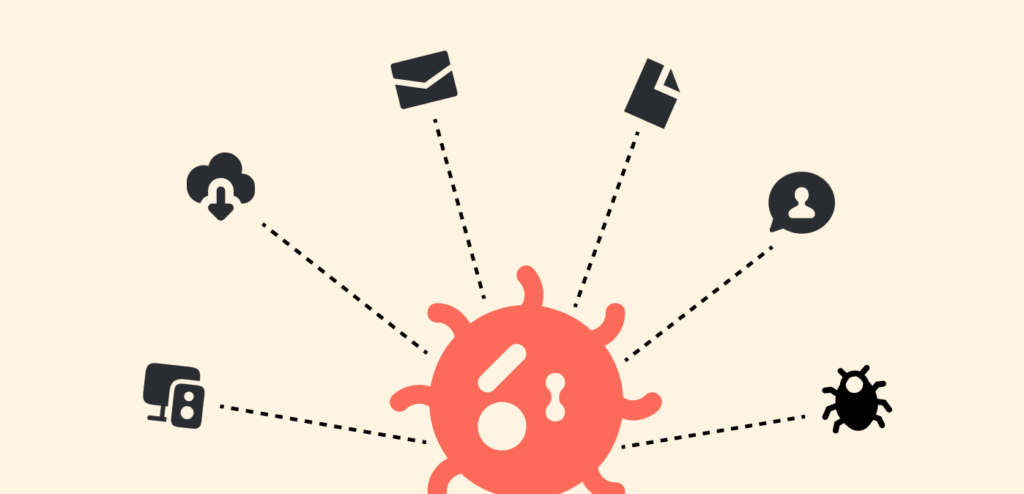
Remember, we said this attack is getting smarter, yes. So, how do the bad actors get in? Through their malware, and how do they get it into your computer?
Phishing emails, remote desktop protocols (RDP), direct system exploitation, third-party suppliers; the list can continue.
Through your email, the bad actors can cook up a phishing epistle and back it up with a link or an attachment.
The catchier the epistle, the high chances of you clicking their link or the attachment. Unknowingly to you, you’ve given someone under his hood, and Blinky dials access to your computer.
Let’s talk about the RDP. If an attacker can guess the logins of an employee in an organization or even your network IP and logins, they can infiltrate your network, download the malicious program by themself and execute it.
What about direct system exploitation? Well, this is when an attacker uses a known loophole to infect their target. Take WannaCry (also known as just WCry), for example, they took advantage of the loophole EternalBlue faced and spread like wildfire.
The third-party supplier scheme is almost the go-to option for attackers because who doesn’t use third-party programs on their system? Once the bad actor spots that weak entry point with your vendor’s system, they attack. From there, they dive into your networks and execute their mission.
Step 2: Encryption begins
Think of ransomware like a calculated abduction. Once the attacker gains access, the operation moves fast; there’s no pause, no second confirmation. Encryption begins immediately.
Within minutes, your files are scanned, selected, and locked using strong cryptographic algorithms. The decryption key? The attacker solely controls it.
What makes ransomware particularly dangerous is its precision. It typically avoids encrypting critical system files, so your device remains operational. Why? Because you need to see the ransom note. A functioning system ensures you can read the demand and potentially pay it.
Many modern variants go even further. They actively search for and delete backups, restore points, and shadow copies, eliminating easy recovery options. By the time the process is complete, victims are often left with a devastating choice:
Pay the ransom or lose access to their data permanently.
It’s ruthless, calculated, and highly effective. And that’s exactly what makes ransomware such a persistent threat.
Step 3: The billing
Each ransomware variant has a way of billing victims for ransom. But the most common is modifying the background of your desktop to show a ransom note. Most times, they drop text files that contain payment instructions in every one of your encrypted files that they encrypted.
Typically, it’s the amount to pay and the medium, of course, it’s usually Bitcoin. Once you pay, you get a copy of the private key protecting the encryption or a duplicate of the encryption key itself.
The scary part is that the attacker gives you a decryptor software that reverses the encryption and brings back your files as soon as you enter the key. Some nefarious attackers will take ransom and still keep a duplicate of your encrypted file, which they can sell on the dark web.
Types of ransomware attacks
We’ve seen so many kinds of these attacks in the past years, and believe me, bad actors won’t stop devising new ways to squeeze money out of victims.
Notwithstanding, we currently have eight popular types of ransomware attacks, of which one may be familiar to you. Irrespective of the unique names and tactics, they all follow the 3-stage system – infiltrate, encrypt, and bill.
So, what are these types?
Locker ransomware
As the name suggests, this type locks you out of your computer and demands a ransom. You can see your files, but you can’t do anything, let alone use the device.
Double extortion
This type steals data and, at the same time, encrypts the data; hence the name. How did we get here? Firms stopped paying ransom because they had a backup of the encrypted files.
So, these smart bad actors steal the data and threaten to sell the sensitive info in it if the victim fails to remit.
Yes, even with your backup and restored files, you’re still at risk of a data breach.
Triple extortion
Imagine a third pressure added to double extortion. This can be billing your partners or customers for ransom, or deploying a distributed denial-of-service (DDoS) against your firm.
In other words, you can’t access your files, they’ve been copied, and you can’t even run your organization freely.
Wiper malware
This type permanently destroys access to the files the ransomware has encrypted. Most times, the key used to restore your files gets deleted too. So, even if you wanted to remit, everything is lost now.
Data stealing
Have you attempted compressing a folder into a “.rar” zip file? How long was it? Depends on the folder size, right?
Now, when ransomware is encrypting, the volume of data it’s working on can determine how long the process lasts.
If the victim is tech-savvy, they would detect and stop the attack early to protect the remaining files. So, cut off this hassle, bad actors just ignore encryption and just steal your data. Then, they threaten to publicize it if you don’t remit.
RaaS or Ransomware as a Service
This type resembles a franchise system. A ransomware clan gives “affiliates” access to their malicious programs.
These affiliates then attack their victims and collect ransom, which they split with the ransomware group.
Crypto ransomware
You know cryptocurrencies are virtual money that is almost impossible to track. Bad actors use this as their payment gateway. It’s not like there’s any unique attack with crypto; they just help the bad guys get away easily.
The infection of Ransomware on a device or system
The methods are endless: phishing, social engineering, software vulnerabilities, and so on. But let’s look at the basic infection vectors:
Phishing and social engineering
The scheme is simple: lure victims to click on links or malware files sent to them through phishing emails, websites, or even QR codes. You think it’s just an MS Word or PDF document, but at the end of the day, your files are under hostage.
Software and operating system vulnerabilities
When there are holes in a security protocol, hackers often take advantage of them to infiltrate a network or device with malicious code.
Think of zero-day security loopholes that the security community has not discovered or patched, which become a nasty threat. Most bad actors pay to learn about zero-day vulnerabilities from their peers and then plan how to use them for attacks.
Credential theft
Cyber criminals can steal login details of authentic users, purchase them off the dark web, or use brute force to crack them.
What they now do next is access your computer or network using these credentials and directly install the ransomware.
The favorite trick these bad actors pull off is using RDP, which stands for Remote Desktop Protocol. It’s a Microsoft protocol that supports the use of a computer on a remote basis.
Drive-by downloads
Do you know about “malvertising”? This is when hackers manipulate legit digital ads to carry malware. So, whether you click any buttons or not, only loading a page containing such an ad is enough.
Most times, these bad actors compromise websites to override the browsers of anyone who comes to that site. Once they see any opening, they inject and strike the device.
Malware as a delivery network
You know how the delivery guy works? Delivers different goods to various customers. Hackers have malware that copies these delivery services. And what do they present to targets? Ransomware, they didn’t order.
Throughout 2021, the Trickbot Trojan was the delivery guy sharing the Conti ransomware across various victims.
Popular examples and variants of ransomware
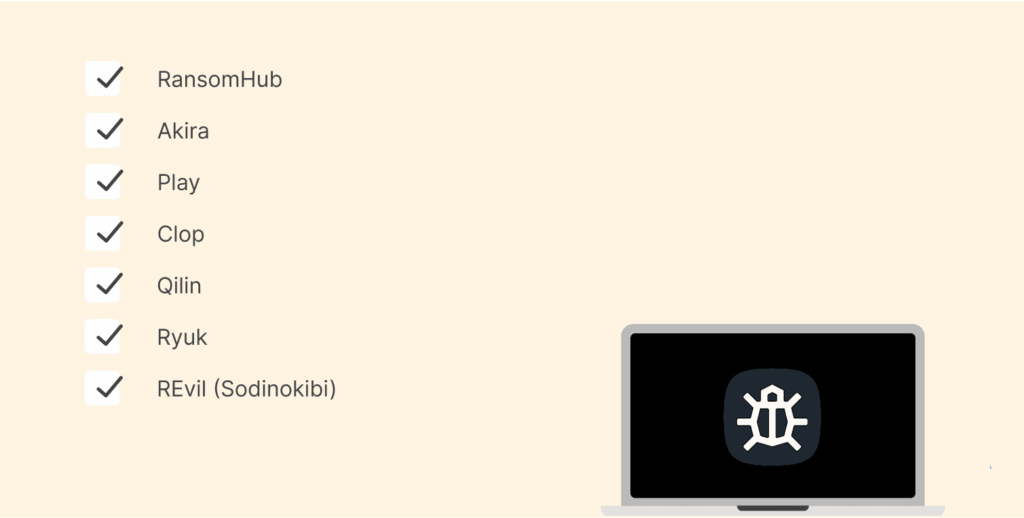
In our world today, we have various variants of ransomware, and they all have unique characteristics.
And as we know, a few have been more active and pulling off stunts than others, which puts them in the spotlight.
Cut a long story short, let’s explore these groups:
1. RansomHub
This group runs Ransomware-as-a-Service, and they appeared in February 2024. In a blink, they took the center stage, disrupting groups such as LockBit and ALPHV to partner with them.
Even though the group received little money from people for the attack, their high affiliate income-disbursement model (90%) increased the number of attacks throughout July and August 2024.
Their major targets are businesses owned by Brazilians and the U.S. The ransomware from RansomHub was written in C++ and Golang, making it lightning-fast for encryption. It featured EDRKillShifter alongside unique remote encryption practices.
But on April 1, 2025, their operation halted. Everyone working with them reportedly began to move to DragonForce and Qilin, which took over.
2. Akira
Akira appeared in early 2023 and quickly built a reputation. It targets both Windows and Linux systems, using ChaCha2008 encryption to lock files.
Guess the entry scheme of these variant phishing emails and weak VPNs, and as soon as they enter, they strike with living-off-the-land binaries (LOLBins) and use data theft to dodge security.
The Akira gang never ran out of nasty tactics, like using intermittent encryption for stealth movement and erasing shadow copies. When this happens, their victims can’t restore their data.
Sometimes, they don’t bother with encryption; they just hijack data and threaten to expose it if the ransom isn’t remitted.
Their ransoms are always huge, and giant ventures in sectors like healthcare, finance, education, and manufacturing are their targets across Australia, Europe, and North America.
3. Play
This variant is also called Playcrypt. Appearing in 2022, their actions trended with speed. They’ve hit more than 300 firms, including top-tier organizations like the Swiss government, Microsoft Cuba, and the City of Oakland.
Play stands out for its use of intermittent encryption, only encrypting portions of files to avoid detection, and for applying double extortion by threatening to leak stolen data if victims don’t pay.
It typically gets initial access by exploiting FortiOS vulnerabilities or exposed RDP servers. After infiltrating, they use “Group Policy Objects” and scheduled tasks to circulate the ransomware. They show off their attacks on a blog on Tor, listing stolen data to compel victims into remitting.
4. Clop
Clop is another major player, based on the older Cryptomix malware running as RaaS, where other bad actors can rent it. The variant targets are sectors with sensitive credentials, such as finance and healthcare.
One thing Clop trended about was its double extortion scheme; encrypt files and threaten to disclose their content if the ransom isn’t paid. How they spread is through phishing emails and zero-day vulnerabilities. No wonder it’s almost difficult to defend their attacks.
It’s also known for digitally signed code, massive ransom demands, and using SDBOT for propagation. The main targets are large companies, not individuals.
5. Qilin
Qilin (a cybercriminal group) is like a new kid on the block within the Ransomware-as-a-Service space. But as expected, it’s gaining traction. It works with ransomwares that support Rust, so they can 100% customize their attacks according to their victims. In April 2025, Qilin became the highest in rank in terms of activities of ransomware attacks.
Again, this variant also uses double extortion like every other threat group; however, they always change file extensions, terminate certain processes, and provide various methods for encryption.
Qilin even advertises on the dark web, promoting a data leak site that lists company IDs and stolen account details. When RansomHub shut down, several affiliates reportedly moved over to Qilin.
6. Ryuk
This group is notorious because of its highly targeted hits. How they infiltrate is through spear phishing or using stolen login credentials on RDP. Once they get in, Ryuk encrypts certain files, avoiding the ones that would ruin the operating system.
Afterward, they bill their targets a heavy ransom, averaging more than $1 million. So, who are their targets? Large enterprises that handle massive resources.
7. REvil (Sodinokibi)
REvil, or Sodinokibi as many like to call it, is among the top threat gangs attacking businesses with ransomware as far back as 2019. It has been the group pulling off major breaches like JBS and Kaseya.
A majority of the targets of this group are big organizations, which is why they can bill ransoms up to $800,000 and more in certain cases.
They’ve dragged the title of “most pricey ransomware” with Ryuk, and to stand out, the group moved from the common double extortion scheme to crippling their targets, for instance, charging twice for decrypting data and deleting stolen data from the bad market.
8. Maze
Guess who took ransomware to the next level? It’s Maze. This group was the originator of file encryption and data stealing. Anytime victims refused to remit, Maze would first hijack sensitive data off their system before encrypting the files.
They threaten to sell or expose the stolen credentials if the victims fail to cooperate. Even though this group is no more, its mark is never forgotten. Most partners began to work with Egregor ransomware, which came from identical origins as Maze and Sekhmet.
9. LockBit
Since its inception in September 2019, LockBit has been a data encryption malware that operates as a ransomware-as-a-service. Its design allows for rapid encryption of large organizations and prevents detection by security appliances and IT/SOC personnel.
10. WannaCry
WannaCry makes organizations “wanna cry” as big as they are. We’re talking about the likes of hospitals, utility companies, and any firm that uses Microsoft Windows, taking advantage of a loophole with the name “EternalBlue.”
In May 2017, WannaCry achieved notoriety and affected hundreds of thousands of computers in more than 150 countries within a few days, demonstrating the speed at which ransomware can spread and its global impact.
How to counter ransomware attacks
How you fight ransomware isn’t some complex concept. Of course, some tech veterans may write code to combat this attack.
But what we have for you are the most effective moves to pull off for the safety of your system and your organization.
1. Always keep your devices up-to-date
Updates are how companies fix loopholes in their applications. So, as you update your device, you say “yes” to new patches as well as improved technologies that not only make your device run smoothly, but also eradicate vulnerabilities.
2. Check that the software you install is legit
That antivirus software you’re downloading from “freeapps.com” could be how bad actors infiltrate your system.
How? Maybe you’re dodging subscription fees, so you want to download free Avast360 from an unverified source. What if bad actors have rewritten certain codes to work in their favor? Who knows?
So, always verify and use software from trusted sources.
3. Get a legit antivirus
Your first line of defense to block ransomware is slapping on a good antivirus. There are modern anti-ransomware systems that filter emails and quarantine malicious attachments ahead of time. (Explore the top antivirus software in this guide.)
Unless you go only with free firewall software, some firewalls available today are so advanced that they continually monitor threat entry and detect patterns of ransomware early.
4. Legal programs
This approach works well when it comes to cutting off programs that want to run without permissions; of course, we have the likes of ransomware.
Should they sneak into your system, they will block them, and if you have firewalls set up, they will ping your team about sneaky apps early.
5. Have a backup of your data
We won’t say this is a protection measure, but of course, technically, it’s how you make recovery cheaper and faster.
You just need a clean restore point. Even when your system loses everything, you can fetch those important files from the “restore point.”
Advisably, use offline backup storage or a strong separate network class that ransomware cannot break into. Also, confirm that your files are fully backed up; don’t let overconfidence win.
6. Share knowledge with your workers
Knowledge, they say, is key. One of many ways ransomware can infest an organization is through workers who have no idea about such attacks or their schemes.
We’d recommend training employees to figure out phishing trials and risky links. This isn’t what you do one time and sleep. Internet threats will keep getting smarter, so you must update the employees on every new tactic from these threats.
7. Use cutting-edge security services
A layered security solution is made of firewalls, web filtering, and email security. When applications are sandboxed, you can isolate them and analyze suspicious behavior without any risk that could damage your entire network. Therefore, these combined efforts provide a very dependable means of protecting against ransomware.
No single device will stop all attacks because no single device can possibly protect against everything; therefore, layered protection is important for your network. If one type of protection fails, there are other layers available to catch any attack that may occur.
8. Reduce entry chances
Considering the potentially large financial impact of experiencing a ransomware attack, your best option is to take measures to prevent one from occurring. A good place to begin is by reducing how large your “attack surface” is by doing the following:
- Implement email protection against phishing attacks. You can use top-notch secure email services to remain safe from these hazards.
- Identify and work to remediate vulnerabilities prior to an attacker being able to exploit them.
- Monitor the dark web for instances in which your organization’s credentials may have been compromised. (We put together the top dark web forums to monitor in this guide.)
- Apply SASE protections to remote access solutions.
- Deploy a mobile malware protection solution.
How to get ransomware off your system
Cut off every connection
Find all the devices that got the virus and quickly cut them off from your network, both on and off-site. Disable every wireless connection, like Wi-Fi and Bluetooth, as well to stop the ransomware from spreading.
If you detect unusual activity, including file renaming or extension changes, immediately cut off all network connections from the device.
Restart in “Safe Mode”
This move may halt the operation, though it’s based on the type of ransomware you have. Some very persistent trojans like REvil or Snatch will keep on running in Safe Mode; however, this is not true for all forms of ransomware.
While in “Safe Mode,” you can then install an anti-virus. Heads up. Any files that attackers already encrypted remain encrypted even in this mode, and you can only recover them from a backup.
Scan for threats
Always run a full system scan for your systems. Don’t assume they are safe. Again, search for anything fishy on your devices. Random file types could be your cue.
There are next-gen firewalls that could help fish out concealed threats. By doing this, you are cleansing your devices before reconnecting to the network.
Restore from backups
After cleansing your system and setting up an antivirus, restore any missing data from your backups.
Take your time, scan the backup files as you restore. Should you skip this part and ransomware sneaks back in from infected backups, you’d undoubtedly be back where you started.
All of the time and money you spent re-installing your operating system and having to purchase and install antivirus software will most likely be a waste.
Has ransomware already struck? Here’s what to do
A ransom message, how do you know you’ve been hit badly? So, what do you do? Panic, of course, but calmly, follow these steps:
- Quarantine the system. You don’t want the ransomware to spread. So unplug network cables, disable Wi-Fi, Bluetooth, and remove access to other possible targets
- Don’t shut down the computer. It won’t stop the encryption or cut it off. Instead, you could end up losing volatile memory that could have been used for forensic purposes.
- Make a backup. If the attack didn’t stop you from using your computer, run a backup of the encrypted files on a medium you can remove. You could find a legit decryptor without having to pay the ransom.
- Look out for decryptors. Projects like “No More Ransom” may have free tools that decrypt files held captive by ransomware. Check and pick the one that matches your ransomware variant. Also, keep in mind that these may be possible for a few older variants.
- Seek assistance from digital forensics veterans. Those guys may help recover copies of your data if the malware didn’t delete them and tell you how to deal with the damage.
- Erase everything, including the operating system and setup, from scratch. Then backup from a clean source. You don’t want the malware hiding in the backup files waiting to re-infest your system again.
Should I remit the ransom?
You’re probably thinking, what if I save the sweat and just pay up for my files?
Well, it could work for you, but remember, a bad actor will always remain a bad actor. If they can hijack your file in the first place, who knows what else they’ve done while the negotiation is ongoing?
Now, before you pay that ransom, know that these bad actors may have copied your files first before encrypting them. So, after paying and restoring them, the bad guys still have a fully-fledged copy. With or without your knowledge, they can market it on the dark web and make even more money.
Who then is at a more loss? You, because even after you remit the huge amount of money, your data still gets leaked. It’s like killing two birds with a brick.
Some ransomware groups may be merciful and not go this far. But, they will mark you and your organization as a “client.” So, over time, you’d get hit and a request for ransom, which of course you’d pay, and so the cycle continues.
In most cases, the decryptor won’t run on your operating system; it may come with multiple keys, and there’s no guarantee that some data won’t be corrupted. So, at the end of the day, paying the ransom may not be the best thing to do, except you’re in for the benefit of the doubt.
Even the FBI does not support remitting ransom for ransomware attacks. Most times, these funds are what sponsor terrorist organizations, rogue nation-states, and money launderers.
Report to the appropriate authorities
Since ransomware usually threatens to expose your data, you should immediately report any attacks to authorities. Although there is no American federal data legislation, a combination of individual state laws and some federal regulations has strict penalties for violating data compliance laws.
California law requires organizations to file a breach report after an attack, with penalties of up to $7,500 for each violation. Don’t lag; contact the local law enforcement, also when reporting ransomware attacks. That way, the law enforcement can help trace the source of the attack and stop repeated attacks.
Below are platforms to report an attack that has to do with ransomware:
- CISA: https://us-cert.cisa.gov/forms/report
- FBI: https://ransomware.ic3.gov/
FAQs
As of 2024, the average was $2.73 million in just ransom paid out across, and in 2023 it was around $1.82 million. This calculation does not include other costs like downtime, restoring and reconfiguring IT systems, legal issues, fines, etc. Imagine how huge the cost will be when you add all of these.
You can submit a report online to the Cybersecurity and Infrastructure Security Agency (CISA) via its official reporting form. Alternatively, ransomware incidents can also be reported to the FBI through the Internet Crime Complaint Center (IC3).
Without a doubt! Take the WannaCry event as an example. In a blink, it spread from one device to another via the EternalBlue exploit. Your backups or cloud storage are at risk if it shares the same network as the infected devices. Kill the connection immediately.
The names say it all. Scareware “scares” victims with fake infection alerts, so you pay for their bogus “antivirus” software or fake tech assistance. On the other hand, ransomware locks your files and bills you for ransom.
No! You may get a legit decryption ke,y but their decryptor is bad or can’t work on your computer. In a case you’re dealing with double-encrypting, you’d need two keys, which means paying more. At the end of the day, your files may already be too corrupted to recover, and the criminals vanish.