The digital world is evolving each day, and cybercriminals keep on fine-tuning their tactics to target online users. One thing they’re counting on is you to make one mistake, and they’re ready to transform that mistake into money faster and better. Apparently, one of the most common mistakes that most online users make is the lack of attention when typing.
Perhaps from such a small mistake grows a serious type of internet threat known as Typosquatting (or URL hijacking). It’s a threat that takes advantage of typos that result from users when they type domain names.
This article will enlighten you on everything you need to know about Typosquatting, what it is, how it works, why cybercriminals do it, and how to protect yourself from suspicious websites.
What’s Typosquatting?
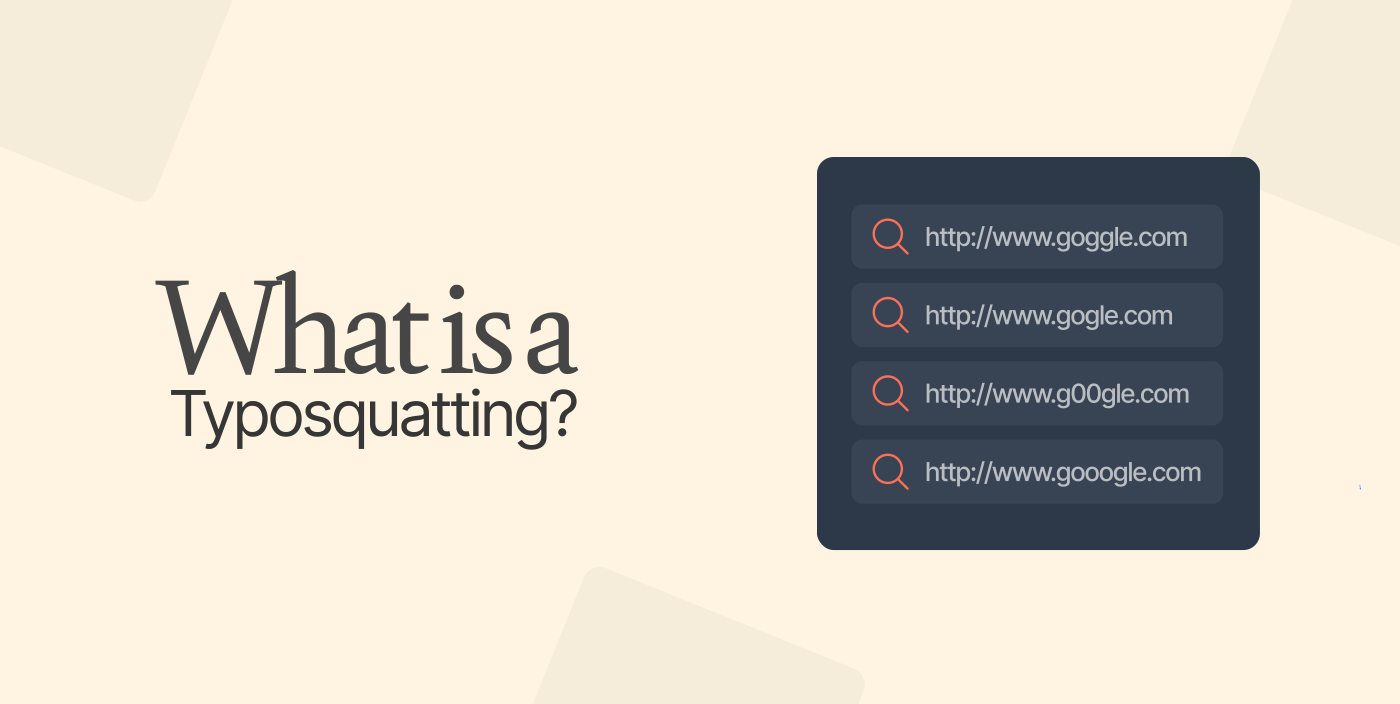
Typosquatting is an online scam where attackers exploit simple typos in URLs to trick users. In most cases, the exploited typos are as a result of user errors or simply are part of the social engineering attack. When such happens, a user ends up on a malicious website that’s designed to look almost similar to a legitimate website, misspelled in a URL.
Simply put, Typosquatting targets online users who incorrectly type a URL into a web browser instead of using a search engine. The attacker tricks users into visiting malicious sites with a URL with a common misspelling of the legitimate website.
The agenda for this cybercrime is often to trick users to provide their sensitive information, plant malicious code, or generate money for the site’s owner. Moreover, apart from causing the user to lose money or have personal data exposed, typosquatting can have serious consequences for a brand exposed, in terms of revenue lost and reputation damage.
How does typosquatting work?
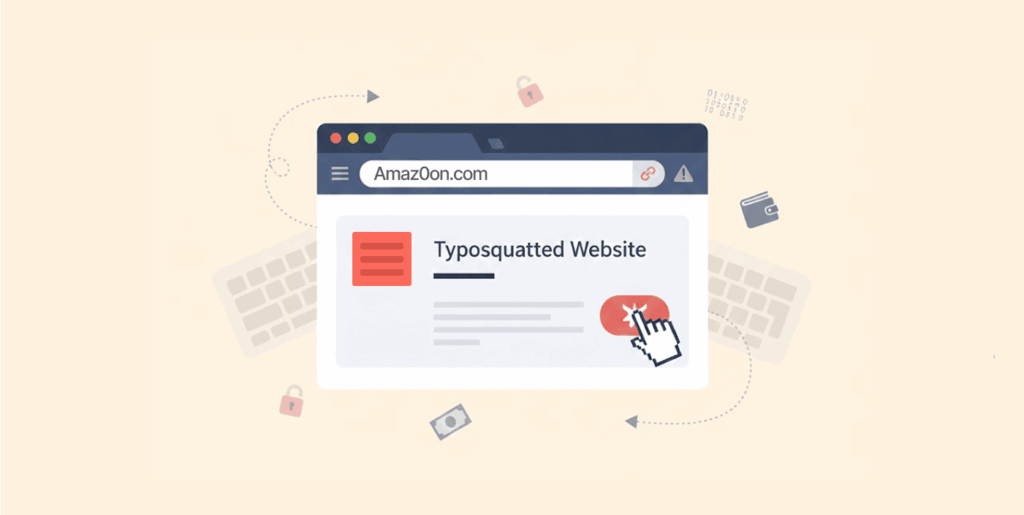
Typosquatting often starts with hackers registering domains with misspelled names of popular websites. Usually, the hackers do that deliberately to target unsuspecting visitors to those alternative sites for malicious purposes and other things.
A user gets to those websites by simply mistyping the name of the well-known websites into the web browser. For instance, they can type gooogle.com instead of google.com. In most cases, the cybercriminals emulate the feel and look of the websites they’re attempting to mimic and hope that users will provide personal information like bank or credit card details.
Usually, the malicious website can be a mimic site that’s designed to resemble the misspelled website exactly, or it can be an independent website that doesn’t mimic another website but is full of dodgy ads and malware. On these copycat sites, scammers will prompt you to hand over sensitive information—like passwords, usernames, or credit card numbers. Moreover, if the site is independent, your device could be compromised by malware.
Nevertheless, it’s always worth double-checking the spelling of the typed URLs to avoid landing on a malicious website.
Common methods of typosquatting
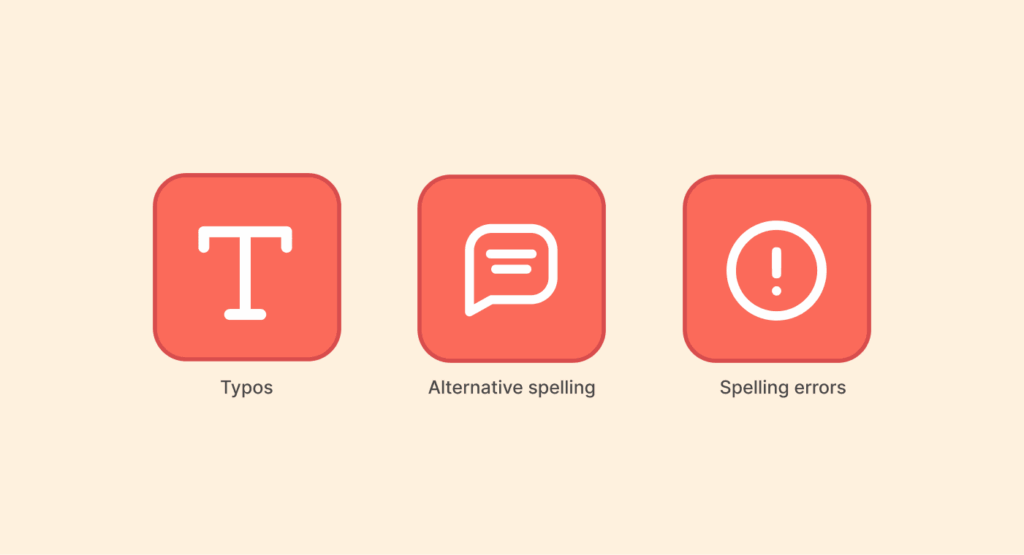
Attackers use several methods for typosquatting, but they all share one goal: making a fake URL look almost identical to the real one. Some of the common typosquatting methods include:
Typos
Perhaps typos are usually the product of every online user’s rushed day-to-day lives. Most users who often type quickly and imprecisely or simply rely on autocorrect are the most likely victims of typosquatting. For instance, typing goggle.com rather than google.com.
Alternative spelling
Usually, alternative spellings of common product services and names can easily confuse online users. For example, there’s a variation between British English and American English, like in “favorite” spelled as “favourite” in British English. Therefore, when your web address has a word that’s spelled differently in another country, it might lead to inadvertently typing the wrong URL.
Spelling errors
Sometimes you might not make a typo, but you can be unaware of the correct spelling of a given brand name, and that’s what hackers will be counting on. As a result, most businesses register various misspelled variants of their websites before hackers can do it and redirect the misspelled versions to the real homepage.
Wrong domain endings
When it comes to domain endings, it creates another scope for typosquatting. It’s always significant for site operators to register top-level domains to help prevent various permutations from getting into the wrong hands. Most typosquatters often target the Colombian top-level domain, .co, given that it’s similar to the widely used TLD, .com.
Hyphenated domains
The omission (or addition) of a hyphen in a domain can bring some confusion. For instance, if a URL is often example-onlineshop.com, cybercriminals can add some extra hyphens to confuse users; something like example-online-shop.com. When you look at it randomly, you can think that it’s a genuine website when it’s not.
The goal of typosquatting
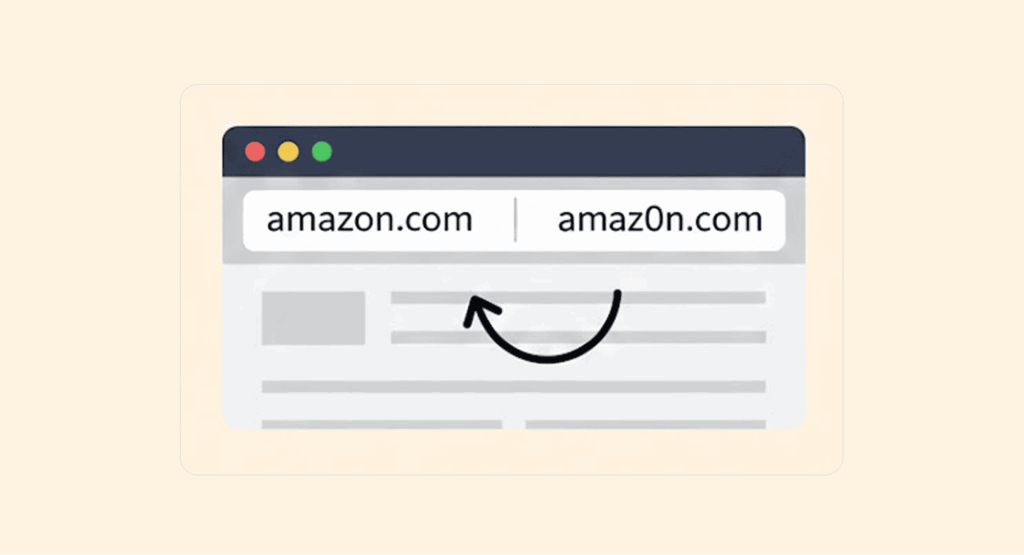
Scammers set up typosquatted domains for various reasons. Ideally, from how typosquatting works, two goals are already clear: stealing personal data and compromising your device with malware. However, attackers mount typosquatting for several reasons. Here are some of the most common reasons:
Redirecting traffic to competitors
Sometimes it can be used to redirect traffic meant for the real website to a competitor’s site. In many cases, a competitor orchestrates this directly, or hires typosquatters to do it and pays them for every misdirected visitor. While it’s an annoying and shady act, it’s undoubtedly not as scary as others on the list.
Making a statement
Perhaps most scammers set up typosquatting merely to make a statement. The scammer sets up a copycat URL specifically to host negative content aimed at harming someone’s or some company’s reputation.
Some are joke sites that ridicule or simply make fun of existing websites that you intended to visit. Usually, the motivation behind such instances is for revenge.
Monetizing ads
Sometimes, the malicious website owner can host ads and pop-ups to generate ad revenue from the directed traffic.
Data harvesting
Some typosquatting attacks can be difficult to recognize, especially when the attackers redirect a user to a phishing website that’s almost identical to the real one. When that happens, a user can easily enter various forms of personal information such as login credentials, credit card details, or even social security numbers.
Such information can then be used by scam site owners without the victim even knowing what just happened.
Selling a domain name to the real site owner
In some instances, the typosquatters might have no interest in user traffic, but they can use it as a bargaining chip. For instance, if the fake website manages to get enough traffic, the typosquatter might offer to sell it back to the real owner, which they’d rather pay instead of going through the lengthy process of taking it down.
Installing malware
Mostly, typosquatting happens so that attackers can install malware into user devices. However, the purpose depends on the type of malware, which ranges from drafting a user’s device into a botnet to things like monitoring user logins for information like online banking.
Examples of typosquatting
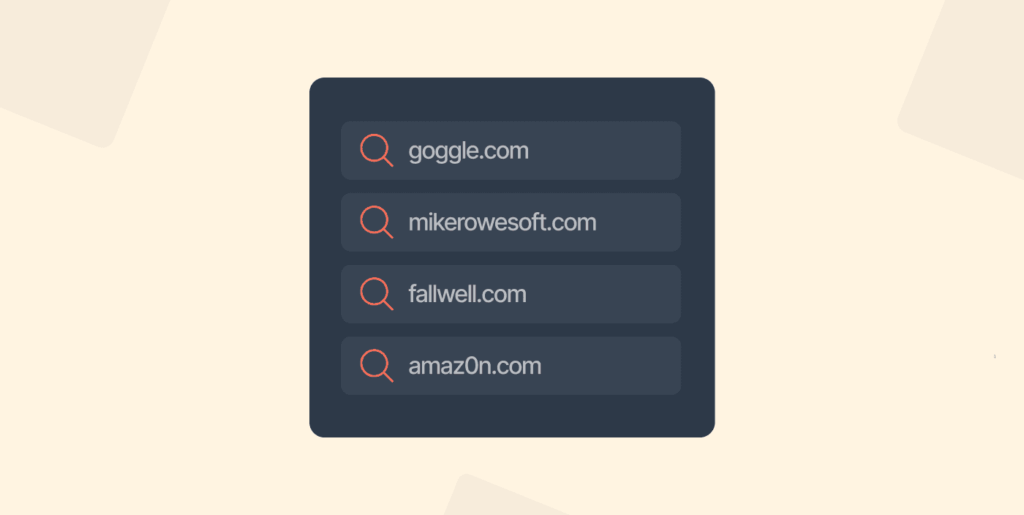
1. goggle.com
Apparently, one of the famous typosquatting instances happened in 2006 that involved the misspelling of google.com. The malicious domain name was goggle.com rather than google.com.
One unsuspecting user ended up landing on goggle.com via some accidental misspelling or phishing attack, and their browser pounded with ads and pop-ups that led to their device being compromised with malware.
Although the site was seemingly fixed to redirect to google.com, it continues to redirect some unsuspecting users to dangerous malware sites.
2. mikerowesoft.com
Back in 2014, Mike Rowe, a part-time web designer, decided to purchase a domain using his full name and “soft” at the end, mikeroweseof.com, to promote a budding business in a funny way. However, Microsoft didn’t see the humor and hence tried to buy the domain for about $10.
Rowe wanted $10,000 to sell the domain and hence rejected Microsoft’s offer. As a result, he was determined to be cybersquatting, and the World Intellectual Property Organization served him with a ceased-and-desist order.
3. fallwell.com
Christopher Lamparello registered the domain fallwell.com as a misspelled version of falwell.com (a notorious Jerry Falwell anti-gay website) in 1999. Christopher’s goal was to offer redirected visitors with biblical quotes and resources that were against Falwell’s take on homosexuals.
After a court complaint, Falwell was vindicated on charges of unfair competition, trademark infringement, and cybersquatting. However, in 2005, the ruling was overturned on the grounds that Lamparello’s website wasn’t a commercial site.
Today, one of the most critical arenas for typosquatting is on the dark web. Users trying to access specific darknet markets are prime targets because a single missed character in a long, complex .onion URL can lead to a perfect clone site designed to steal users’ cryptocurrency or credentials. For researchers or analysts monitoring this space, knowing the legitimate addresses is the first line of defense; our guide to the top darknet markets includes verified links to help avoid these traps.
Typosquatting vs. Cybersquatting: What’s the difference?
Cybersquatting, also known as domain squatting, is a process that involves purchasing a domain that’s similar in spelling to an existing brand and website. However, when it comes to cybersquatting, the objective isn’t to steal personal data or infect devices with malware.
Instead, the goal is entirely mercantile – to sell the domain to the owner of the main (existing) brand, website, or service at the highest price possible.
One thing that’s for sure, most legitimate companies will do everything possible to protect their brands, and hence, in almost all cases, they prefer to purchase the deliberately similar domains at a higher price than going through the usually long process of having such domains shut down.
Perhaps, cybersquatting is a very lucrative affair, given that the purchase of a domain is technically cheap, which makes the payoff of the sale pretty high. Besides, cyberquatters just want to make easy money, and that’s why some can go as far as hacking into people’s devices to make them vulnerable to identity theft as well as security breaches.
Ideally, a victim of cybersquatting can easily have the website taken down and the domain transferred to you. All you need is to prove ownership and that it indeed is intentionally confusing, and the current owner put it up in bad faith.
Unfortunately, that process is lengthy, and cybersquatters bank on you choosing the shortcut. Paying them off. Instead of enduring the drawn-out legal route.
A variation of typosquatting is known as combosquatting – criminals register a domain that’s slightly different from the legitimate domain, but they only add some extra words. For instance, amazon-onlineshop.com tries to convince the users to think it’s the legitimate Amazon website. In such cases, it doesn’t involve any typos, just the presence of some additional words to confuse users.
What are the dangers of typosquatting?
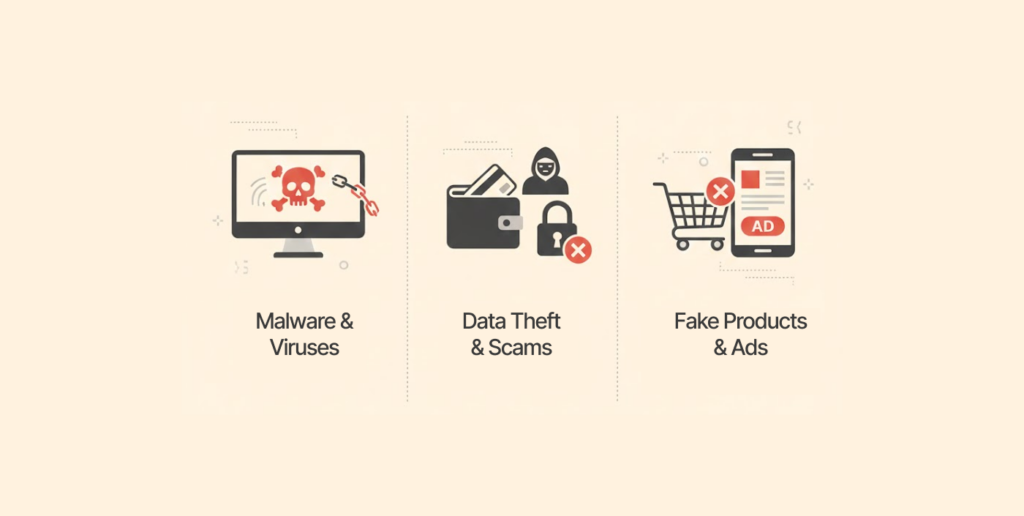
Typosquatting affects more than just brand confusion. It’s clear that most owners of the typosquatted domains act in bad faith, whereby they develop malicious sites that have severe consequences for both individuals and businesses.
Here are some of the dangers of typosquatting:
Security and financial consequences
- Ransomware and malware delivery: Any typosquatted site can undoubtedly install adware or malware onto a user’s device without them knowing. In fact, in some cases, such websites can even install ransomware like WannaCry that holds one’s personal information hostage until they pay a ransom.
- Phishing and personal data theft: Perhaps phishing attacks are the most common use of typosquatted domains. Usually, the websites are always designed to look almost similar to the popular websites to lure users to reveal personal data, financial information, and login credentials. Therefore, it can lead to fraudulent credit card charges, identity theft, and unauthorized access.
- Domain hijacking:There’s no denying that typosquatting is different from cybersquatting, but a typosquatted domain is merely the starting point for several other severe attacks. Attackers don’t stop at stealing your login (most of the times). They can use credentials from a fake typosquatting site to break into the domain’s registrar and take over the real website entirely.
- Traffic monetization and ad fraud: Often typosquatters monetize traffic from legitimate sites in various ways, like advertising or even pop-ups, to accumulate revenue. Sometimes, they redirect visitors to the competitor sites via affiliate links and earn commission.
How to stay safe from typosquatting
It’s very easy to get to the real website online, but the difference between the real one and a typo site can be very subtle. Perhaps, the difference could only be one similar letter, or even a number.
Sometimes, defending against this type of attack depends on your side of the attack. The defense strategy changes completely depending on your role. An organization protecting its brand needs different tactics than an individual trying to dodge malicious sites.
Here are some of the ways to defend against typosquatting:
For organizations
When you’re an organization, you need to take these things into consideration.
Register typo versions of your domain yourself.
It’s a perfect way to stay ahead of typosquatters – you don’t have to wait for attackers to beat you to that. Ensure that you come up with a list of apparent misspellings of your real domain and register them.
Besides, it’s recommended to register top-level domains, country extensions, hyphenated variants, and alternate spellings for your domains. Moreover, you can have all such alternate domains redirected to the official website.
Use ICANN’s site monitoring service.
When you use the Internet Corporation for Assigned Names and Numbers (ICANN), it offers a way for you to find out how the company’s name is being used in various domains. That way, you can know if your site has a typosquatted clone.
Use HTTPS
Perhaps it should be a common thing to do when it comes to websites. Nonetheless, SSL certificates are essential to authenticate your website and establish it as the real deal. Moreover, the lock icon in the URL bar lets users know that they’re on a legitimate site.
That’s not saying that a malicious actor won’t be able to produce a valid SSL certificate for a fake domain, but at least users can see the certificate if possible, and they can realize that they just landed on the wrong website.
Also, there’s a high chance that the hacker might not bother with HTTPS, which is a good sign in itself for users that something is up. Besides, HTTPS protects you from various online attacks.
Notify staff, customers, and partners.
Once you’re aware that there are misspelled, malicious versions of your site online, you need to notify everyone concerned across the organization: customers, staff, and partners. That way, they can be aware and be on the lookout for any phishing emails or even double-check spelling on URLs in browsers.
For individuals
When it comes to individuals, vigilance and common sense are almost everything. Here are some of the top tips that you need to keep in mind always:
- Never click links in emails: Avoid clicking links or URLs in your emails unless you’re certain who sent the link. Even so, you should scrutinize the link before you click; for instance, is it an HTTPs link – most legitimate sites use it. Also, you should look for spelling errors in the link, and if you can arrive at the destination without clicking the link, then do it. Similarly, you need to avoid opening attachments in emails when you don’t know the sender and ensure that they indeed sent you an email with an attachment. To understand how attackers fake email addresses to make these scams more convincing, check out our deep dive on email spoofing (this is worth exploring because scammers often combine tactics as a typosquatted website is often promoted via email spoofing).
- Use the best antivirus program: You need to install the best antivirus program from a legitimate vendor. Also, ensure that you run a scan regularly.
- Store bookmarks: All the sites that you visit the most and always access such websites from the bookmarks.
- Use a search engine: All the time when you want to access websites instead of typing or following the links. Moreover, you can even use voice assistants to arrive at your legitimate site.
- Avoid pop-ups: Never click on the pop-ups, as you never know the exact place they’ll take you.
- Use a firewall: Major operating systems come with an inbuilt firewall. Also, all commercial routers offer an in-built NAT firewall. Therefore, you need to ensure that they’re all enabled to protect you in case you click on some malicious link.
Conclusion
It’s not easy to avoid typosquatting attacks, given that they exploit user multitasking lifestyles and urgency. While in the US and other jurisdictions, legislation can help protect sites against typosquatters, for you, all you need is common sense and vigilance. Legal action is undoubtedly costly when it comes to time and energy. Nonetheless, you should take preventative measures at all times.
FAQs
In the US, typosquatting is illegal under the 1999 Trademark Cyberpiracy Prevention Act. Across the globe, trademark and copyright holders can request the WIPO to take down any site that they prove meets the typosquatting criteria.
Typosquatting is when an attacker intentionally registers a domain name that’s only a common misspelling of an existing domain to lure unaware traffic to the site for various reasons.
Perhaps it’s difficult to tell if you don’t have a monitoring tool. That way, it allows the attacker enough time to continue with their business. Therefore, you need a monitoring tool to help you detect when you’re under a typosquatting attack.
The best option is to have a monitoring service to alert you when someone registers a domain name that’s similar to yours. Moreover, you need to be vigilant all the time and let common sense guide you always.
Typosquatting is when an attacker registers a domain with misspelled names of an established company, while cybersquatting is when a fraudster registers a domain with an almost similar name with an existing domain.